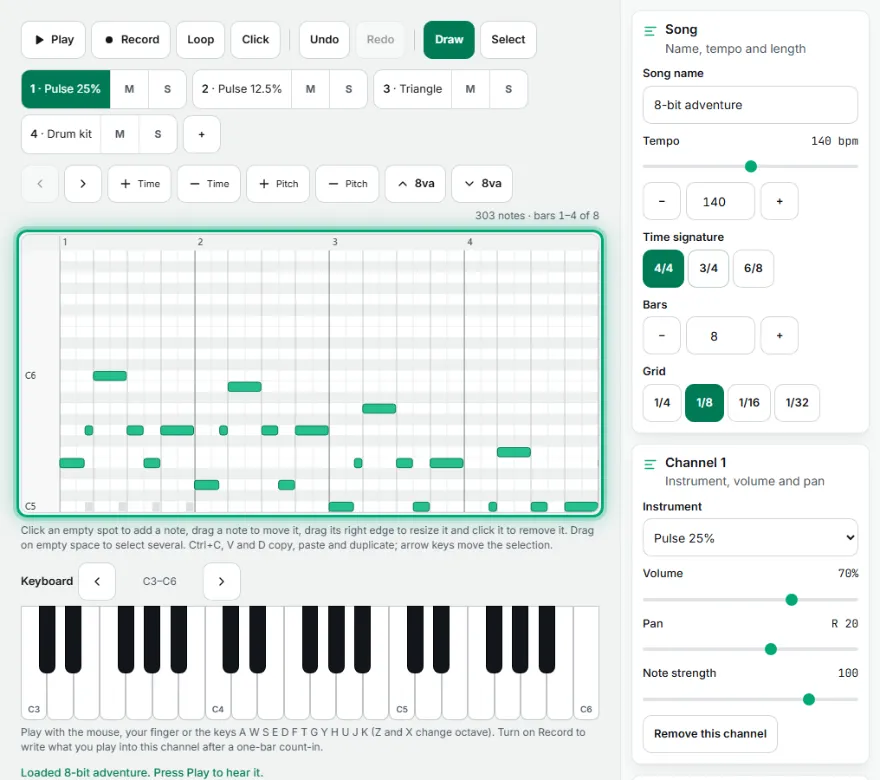
Click an empty spot to add a note, drag a note to move it, drag its right edge to resize it and click it to remove it. Drag on empty space to select several. Ctrl+C, V and D copy, paste and duplicate; arrow keys move the selection.
Click the bar numbers to move the play position. Drag along them to set a loop region, then switch Loop on to practice just that part.
Play with the mouse, your finger or the keys A W S E D F T G Y H U J K (Z and X change octave). Turn on Record to write what you play into this channel after a one-bar count-in.
Edit notes
Select notes first to change only them; with nothing selected, these tools work on the whole channel. Pick a chord to add a full chord with one click.
Files
MIDI files and projects
Your song is also kept in this browser automatically. Your file contents never leave your browser.
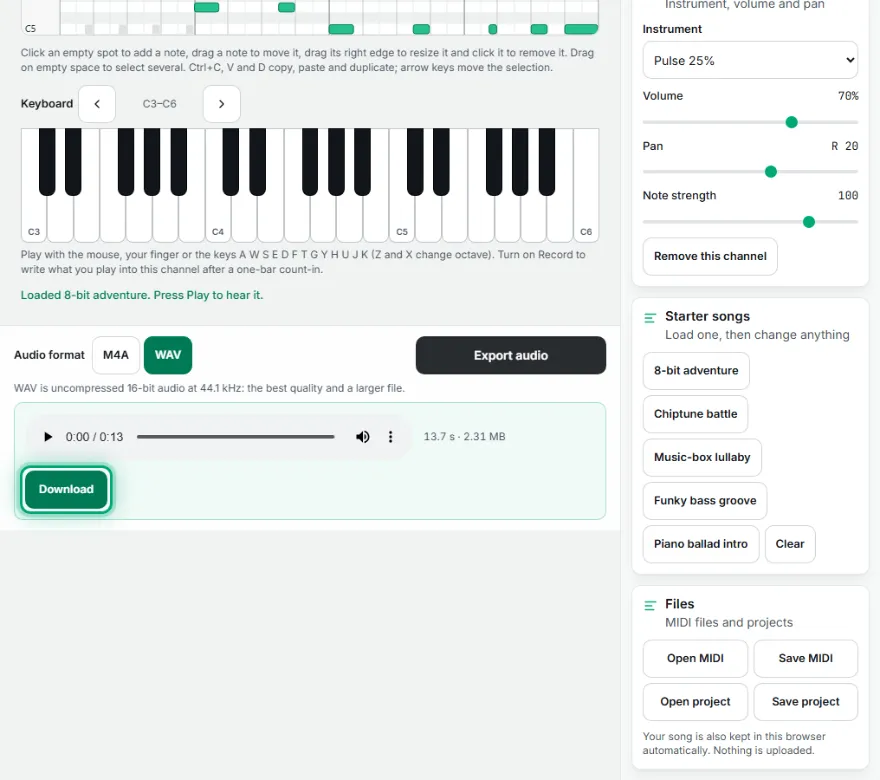
Export audio
WAV is uncompressed 16-bit audio at 44.1 kHz: the best quality and a larger file.
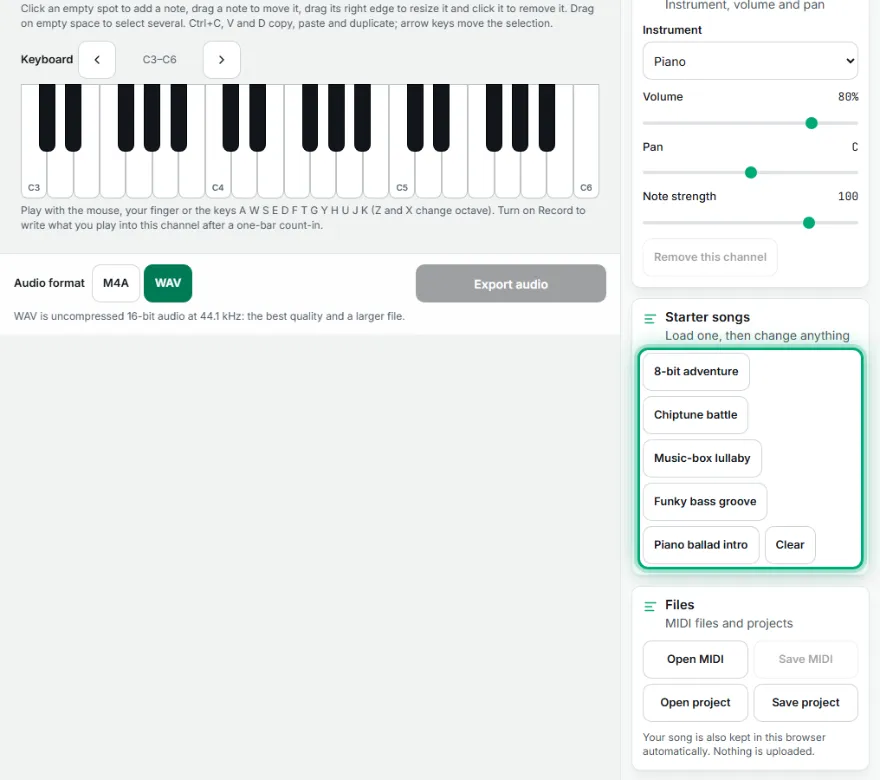
Starter songs
Load one, then change anything
Classics are simplified arrangements of public-domain works; the other songs are original.
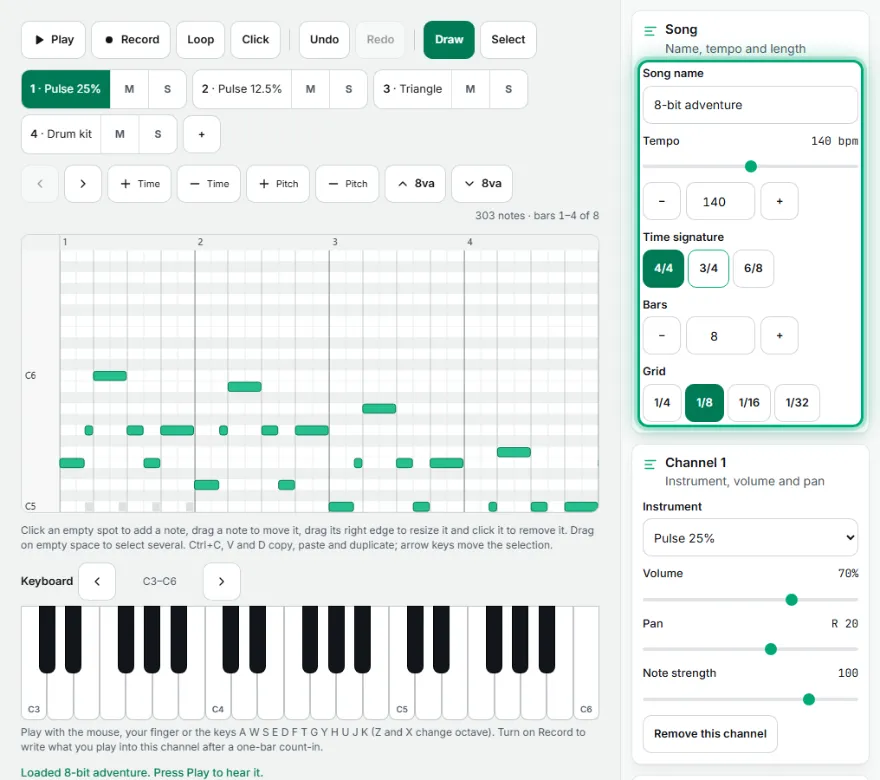
Song
Name, tempo and length
Time signature
Bars
Grid
Key and scale
Channel 1
Instrument, volume and pan
How It Works
- 1
Start from a song or an empty roll
Pick one of the 62 starter songs, from classics and folk tunes to 80s, 90s and 2000s-style and game-style originals, and press Play, or begin with the empty roll and choose an instrument for channel 1.
- 2
Add notes
Click the piano roll to place a note, drag its right edge to make it longer, drag the note to move it and click it again to remove it. You can also play the on-screen piano or your computer keys and press Record to write what you play.
- 3
Shape the song
Set the tempo, the time signature and the number of bars, add up to eight channels with any of the 92 instruments and balance them with the volume, pan, mute and solo controls. Insert a drum pattern or a chord progression to get going fast.
- 4
Polish the notes
Choose a key and scale to highlight it and snap new notes to it, then quantize, humanize or transpose the notes, adjust each note's strength in the strength lane and set a loop region on the ruler to practice one part.
- 5
Save or share it
Download the song as WAV, M4A, M4R, OGG or WebM (MP3 when your browser can make it), save a standard MIDI file for other music programs, or save the project to continue later.
Features
- ✓Piano roll with snap from 1/4 to 1/32, selection, copy, paste and undo
- ✓92 instruments in 16 families: keys, guitars, strings, brass, reeds, leads, pads, chiptune and 6 drum kits
- ✓62 starter songs you can play and edit: classics, folk and holiday tunes, and original 80s, 90s, 2000s and game-style music
- ✓14 drum patterns and 9 chord progressions you can insert in one click
- ✓Key and scale highlight, snap to scale and chord stamping
- ✓Quantize, humanize, transpose and a note-strength lane
- ✓Loop region and click-to-seek on the ruler
- ✓On-screen piano and computer-key playing with a recording mode
- ✓Open and save standard MIDI files
- ✓Download your song as WAV, M4A, M4R, OGG or WebM, plus MP3 when your browser supports it
- ✓Save and reopen projects as small files; your song is also kept in this browser
Frequently Asked Questions
Is Retro MIDI Studio free, and do I need an account?
Yes. Free. No account, no credit card. There is no watermark on the audio you download.
What is MIDI?
MIDI is a small file that stores which notes to play, when, and how long, instead of recorded sound. Because it only describes the notes, any music program can open it and play it with its own instruments, and you can change the tempo or the instruments later. This tool plays the notes with its own built-in instruments.
Can I open a MIDI file I already have, or export one?
Yes. Use Import .mid and pick a .mid file; format 0 and format 1 files work. Each channel becomes a channel here, drum parts go to a drum kit, and the instruments are matched to the nearest built-in sound. A song is limited to 64 bars and 8 channels, and you are told if something had to be cut. Use Export .mid to save your own song as a standard .mid file.
How do I export my song as WAV, M4A or MP3?
Choose a format in the bar under the editor and press Export audio. The whole song is rendered on your device and you can listen to it before you download it. WAV is 16-bit at 44.1 kHz. M4A, M4R (an iPhone ringtone, up to 40 seconds), OGG and WebM are offered too, and MP3 appears only when your browser can create it.
Which instruments are included?
There are 92: 86 melodic sounds and 6 drum kits, in 16 families that follow the General MIDI layout, such as keys, guitars, bass, strings, brass, reeds, pipes, leads, pads, chiptune, ethnic and sound effects. Every one is generated by the tool itself, so there are no sample packs to download.
Where do the 62 starter songs come from, and are they legal to use?
The classics are simplified arrangements of works in the public domain. The other songs, including the folk and holiday tunes and the 80s, 90s, 2000s-style and game-style pieces, are original or traditional arrangements made for this tool, not copies of any real hit. You can edit them, export them and use them in your own projects.
What are the drum patterns and chord progressions?
There are 14 drum patterns, such as rock, disco, house and boom bap, and 9 chord progressions, such as I-V-vi-IV and ii-V-I. Pick one and it fills the selected bars (or the whole song) on the song grid. Progressions are built in the key you chose under Key and scale, and replace the notes of the selected channel in those bars.
How do key highlight, snap to scale and chord stamping help?
Pick a key and a scale such as major, minor, pentatonic or blues and the roll marks the notes that belong to it. Turn on Snap to scale and new notes land on the nearest note of that scale, so a wrong note is much harder to place. Choose a chord and one click adds a full chord at that spot.
What do quantize, humanize and the strength lane do?
Quantize snaps the selected notes (or all of them) to the grid so the timing is exact. Humanize adds small timing and strength changes so it sounds played by hand. In the strength lane under the roll you drag a bar up or down to change how hard a single note is played. Transpose moves the notes up or down in steps.
Can I make music on my phone?
Yes. Switch to Draw mode and tap the roll to add a note, tap a note to remove it, or switch to Select mode to move and resize notes with your finger. Use the zoom and octave buttons to move around, and play the on-screen keys with your fingers.
Are my songs uploaded anywhere, and can I save my work?
The page loads ads and visit measurement; AI tools download their models once; your file contents are not uploaded. For sensitive files use the isolated mode (/isolated).
Are there keyboard shortcuts?
Yes. Space plays and pauses, Ctrl+Z and Ctrl+Y undo and redo, Ctrl+C, Ctrl+V and Ctrl+D copy, paste and duplicate notes, Ctrl+A selects the channel's notes and Delete removes the selection. The arrow keys move selected notes, and Shift with the up or down arrow moves them by an octave.
Why does a note sound different at different lengths?
Each instrument has its own volume shape: it rises, settles, holds while the note lasts and fades when it ends. Short notes on a piano or music box ring out on their own, while organ and pad sounds hold until you release them. Try longer and shorter notes to hear it.