Unlock PDF
Remove the lock from a PDF you have the password for.
How It Works
- 1
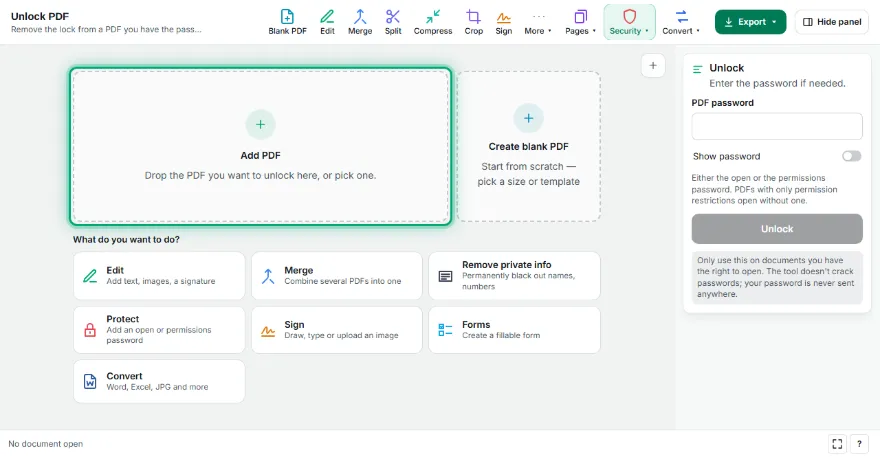
Add your PDF
Pick the locked PDF; the tool checks whether a password is needed.
- 2
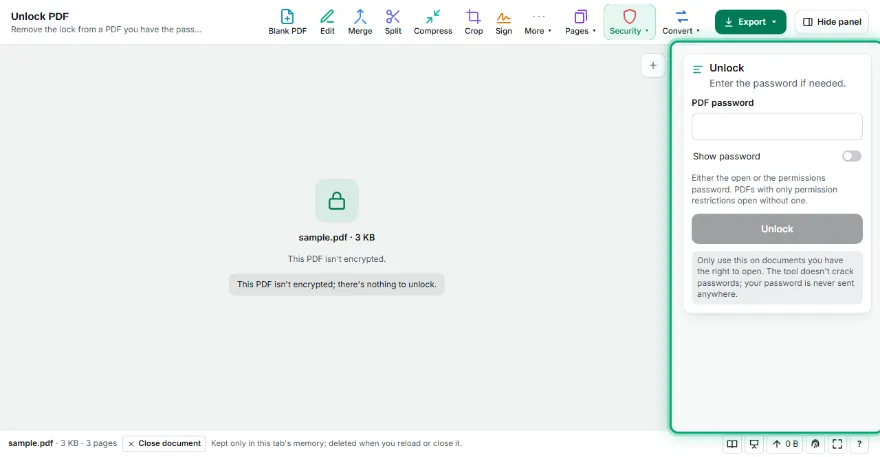
Enter the password if needed
PDFs with only permission restrictions open without one; for an open password, type it in.
- 3
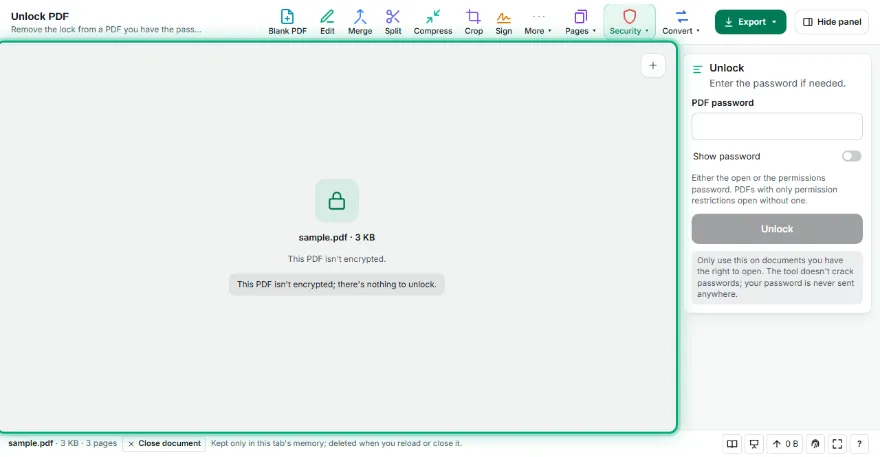
Unlock
Press Unlock; a PDF with the encryption removed is prepared.
- 4
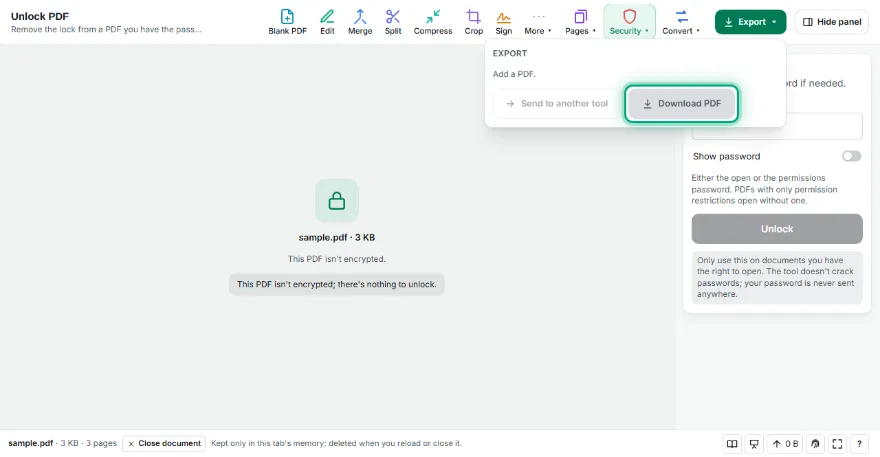
Download
Download the unlocked PDF or send it to another PDF tool.
Features
- ✓RC4 (40/128-bit) and AES (128/256-bit) encrypted PDFs
- ✓PDFs with only permission restrictions unlock without asking for a password
- ✓Unlock with the open or the permissions password
- ✓Content, images and text are kept exactly
- ✓Your password is never sent anywhere
- ✓No sign-up
Frequently Asked Questions
Can I open a PDF whose password I don't know?
No. A PDF with an open password needs the right password; the tool doesn't crack or guess passwords. PDFs with only print/copy restrictions (no open password) unlock without one.
Which encryptions are supported?
All common kinds of standard PDF security: RC4 40 and 128-bit, AES-128 and AES-256. Certificate-encrypted (digital ID) PDFs aren't supported.
Does the document content change?
No. Only the encryption is removed; text, images, fonts and forms stay exactly the same.
Is this legal?
Only use it on documents you have the right to open — your own files or files whose password you were given.
Is my file uploaded?
No. It runs on your device; your PDF and password are never sent anywhere.