PDF to JPG
Turn every page of a PDF into a JPG — nothing leaves your browser.
No document open
How It Works
- 1
Add your PDF
Upload the PDF file you want to convert.
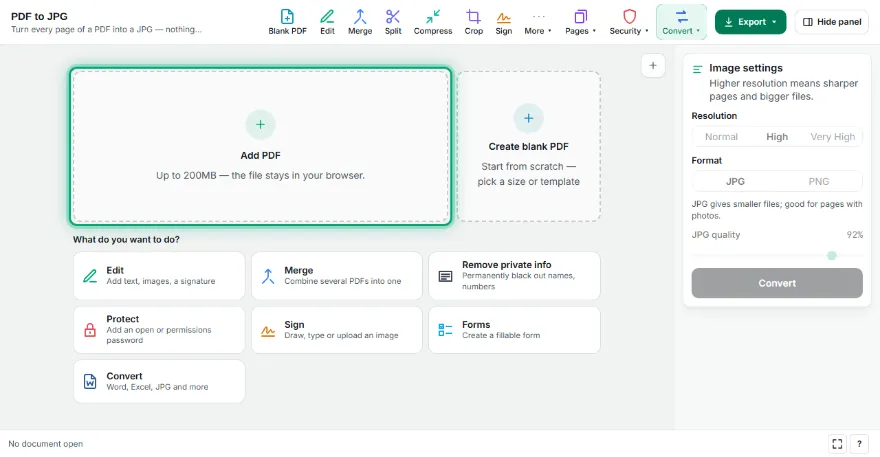
- 2
Choose a resolution
Pick Normal, High, or Very High quality.
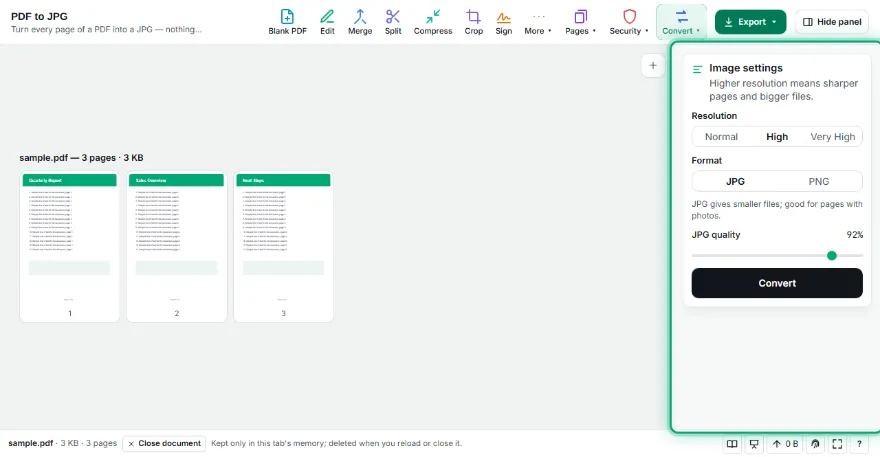
- 3
Convert
Every page is rendered to a JPG image.

- 4
Download
Download pages individually or all together as a ZIP.
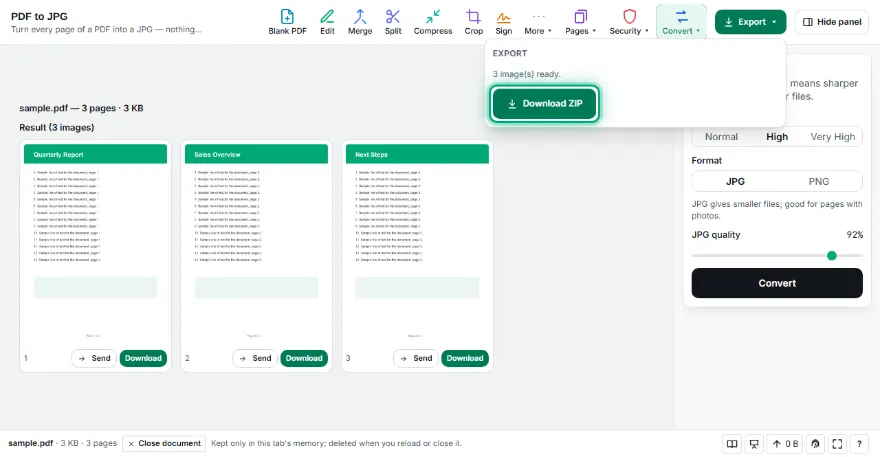
Features
- ✓JPG or lossless PNG output
- ✓3 resolution levels: Normal, High, Very High
- ✓Adjustable JPG quality
- ✓Download pages individually, or all together as a ZIP
- ✓Runs entirely in your browser — your file is never uploaded
Frequently Asked Questions
Is there a page limit?
Yes, there's a maximum page count to keep the tool fast and responsive in your browser.
Can I download all pages at once?
Yes — once there's more than one page, a "Download All as ZIP" button appears.
Is my PDF uploaded to a server?
No. Rendering happens entirely in your browser.