PNG to PDF
Turn PNGs and screenshots into a PDF — nothing leaves your browser.
No document open
How It Works
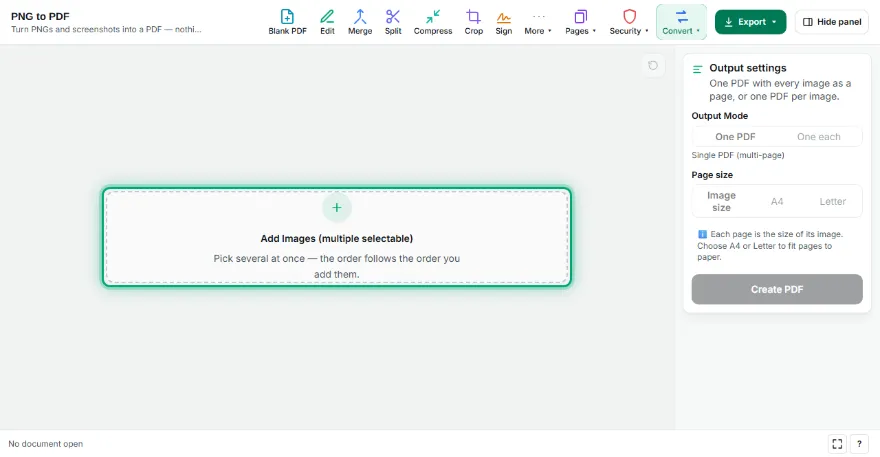
- 1
Add your PNGs
Choose one or more PNG files; drag to change the order.
- 2
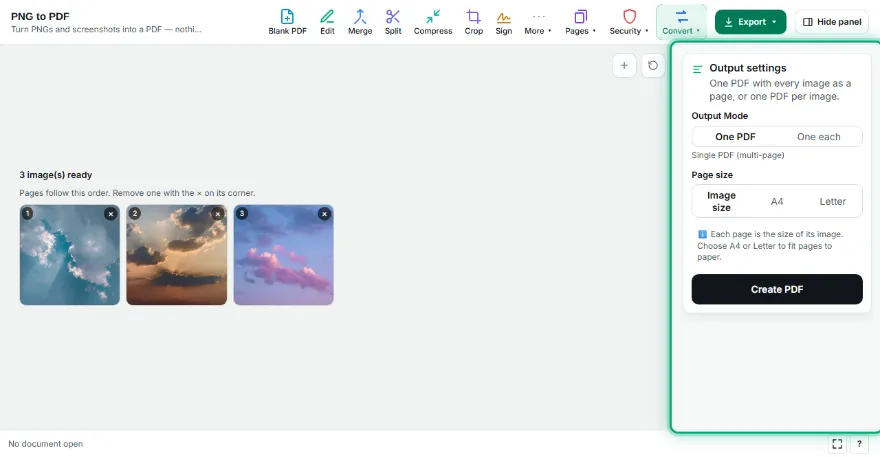
Pick page settings
Choose the page size (fit to image or A4/Letter), orientation and margin, and whether you want one PDF or one per image.
- 3

Download the PDF
Press “Create PDF” and download it, or send it to another PDF tool.
Features
- ✓Combine many PNGs into one PDF
- ✓One PDF per image (ZIP)
- ✓Fit to image or A4/Letter pages
- ✓Transparent areas are kept
- ✓Files never leave your device
Frequently Asked Questions
What happens to transparent areas?
Transparency is kept; in a PDF viewer transparent areas show the page colour (usually white).
Is quality reduced?
No. PNGs are embedded losslessly; the image isn't recompressed.
How many images can I add?
Dozens at once; the limit is your device's memory.
Are my files uploaded?
No. The conversion runs in your browser.