Conversion
Applies to all files
Target Format
PNG is lossless; there is no quality setting.
HEIC files are decoded natively by the browser in Safari. In other browsers like Chrome/Firefox, a small extra component (about 1MB) is automatically downloaded when a HEIC file is detected — not when the page first loads, only when you actually upload a HEIC file.
How It Works
- 1
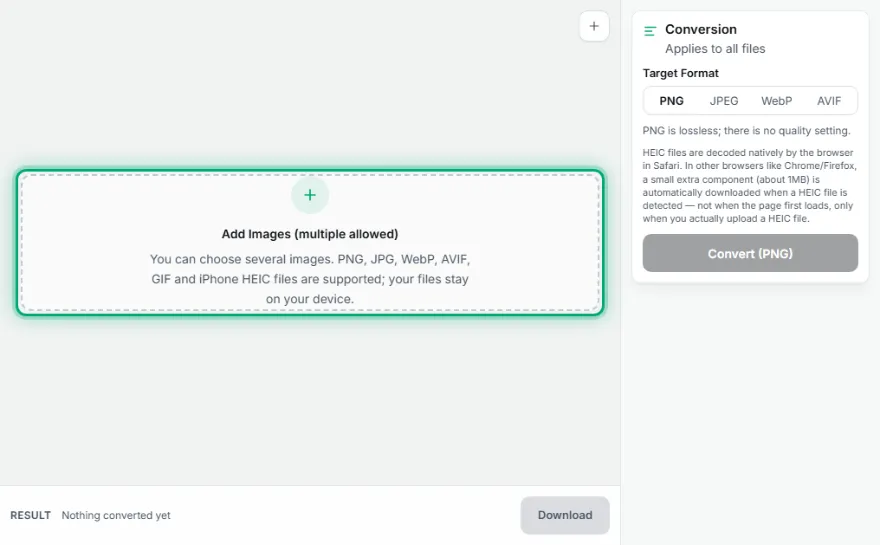
Upload your images
Add PNG, JPEG, WebP, AVIF, or HEIC (iPhone) files — you can select multiple files.
- 2
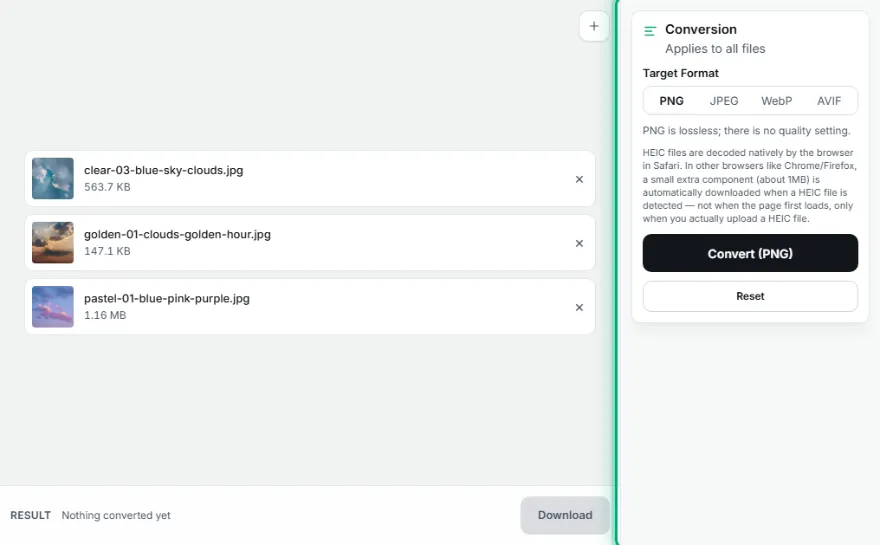
Choose a target format
Choose PNG, JPEG, WebP, or AVIF as your conversion target.
- 3

Convert
Every file is converted to the new format instantly in your browser.
- 4
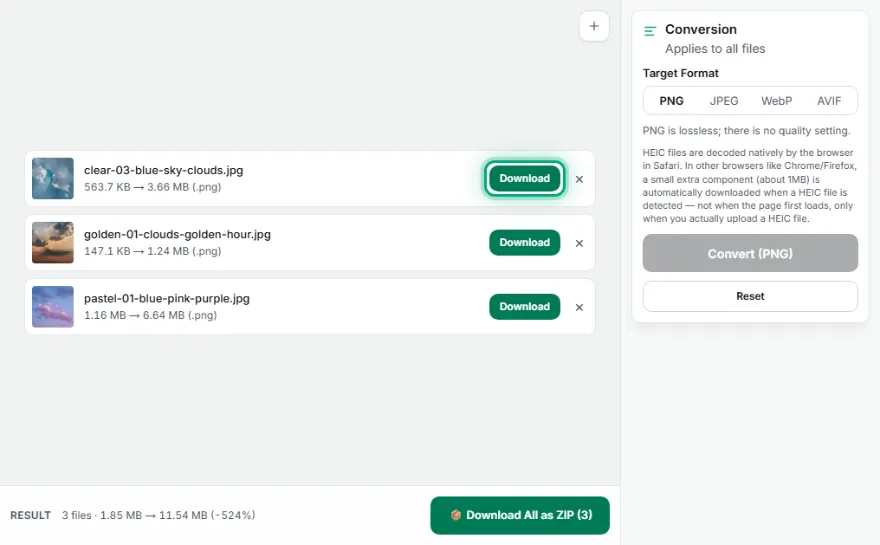
Download
Download files one by one, or all together as a ZIP.
Features
- ✓4 target formats: PNG, JPEG, WebP, AVIF
- ✓HEIC (iPhone photos) supported as input — decoded natively in Safari; in Chrome/Firefox a ~1MB extra component is auto-downloaded only when a HEIC file is uploaded
- ✓Batch conversion — process multiple files at once and download as a ZIP
- ✓Runs entirely in your browser — your images are never uploaded
Frequently Asked Questions
What is HEIC, and why does iPhone use it?
HEIC (High Efficiency Image Container) is the image format Apple uses by default on iPhones — it produces smaller files than JPEG at the same quality. Since Windows and some browsers can't open HEIC directly, this tool converts it to PNG/JPEG/WebP/AVIF.
Does a HEIC file work in every browser?
Safari decodes HEIC natively on its own. In other browsers like Chrome/Firefox, a small ~1MB extra component is automatically downloaded (only when you upload a HEIC file, not on page load) and used to decode it.
What formats can I convert to?
You can choose between PNG, JPEG, WebP, and AVIF.
Can I convert multiple images at once?
Yes, you can upload multiple files, batch-convert them all to the same target format, and download the results as a ZIP.
Are my images uploaded to a server?
No. Conversion (including HEIC decoding) happens entirely in your browser.