WebP to PDF
Turn WebP images into a PDF — nothing leaves your browser.
No document open
How It Works
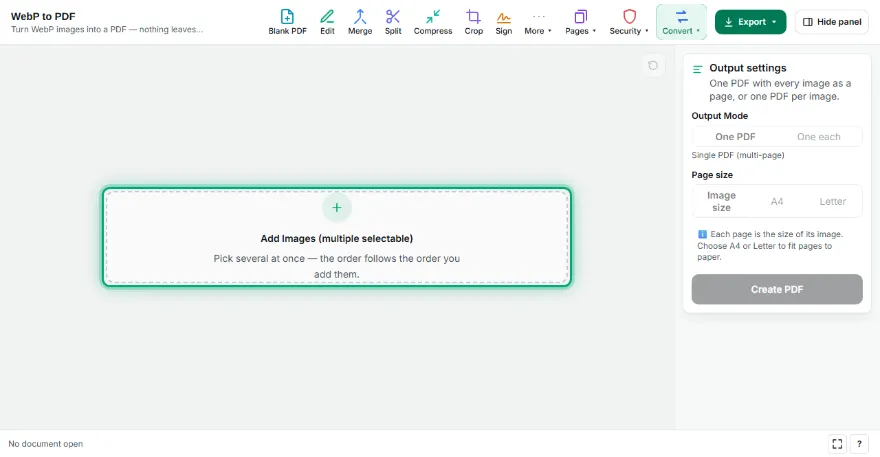
- 1
Add your WebP files
Choose one or more WebP images; drag to change the order.
- 2
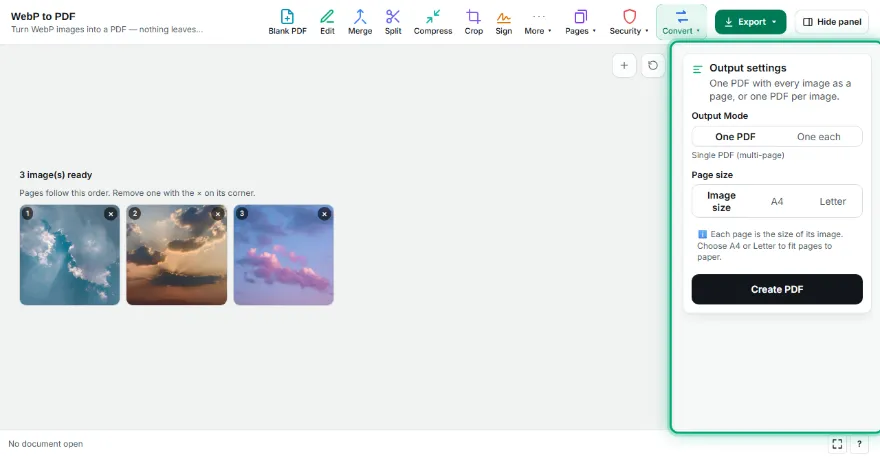
Pick page settings
Choose page size, orientation and margin; one PDF or separate PDFs.
- 3

Download the PDF
Press “Create PDF”; the PDF opens fine even in programs that can't open WebP.
Features
- ✓Turn WebP into a PDF that opens anywhere
- ✓Combine many WebP images into one PDF
- ✓Transparent WebP supported
- ✓A4/Letter or fit-to-image pages
- ✓Files never leave your device
Frequently Asked Questions
What is WebP and why convert it?
WebP is an image format websites use a lot; some older programs and printers can't open it. A PDF opens and prints everywhere.
What about animated WebP?
The first frame of an animated WebP is placed on the PDF page.
Is quality reduced?
The image is embedded losslessly; the WebP's own quality is kept.
Are my files uploaded?
No. The conversion runs in your browser.