Merge PDF
Combine several PDFs into one — nothing leaves your browser.
How It Works
- 1
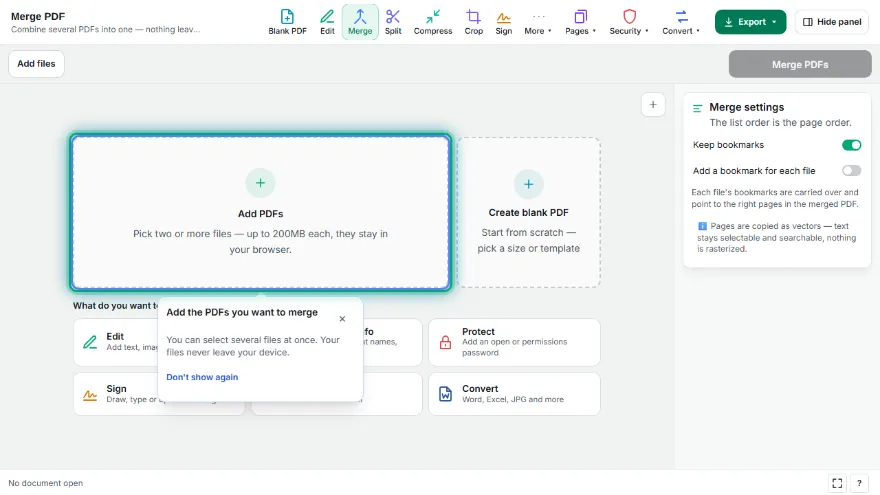
Add your PDFs
Choose two or more PDF files. They stay in your browser.
- 2
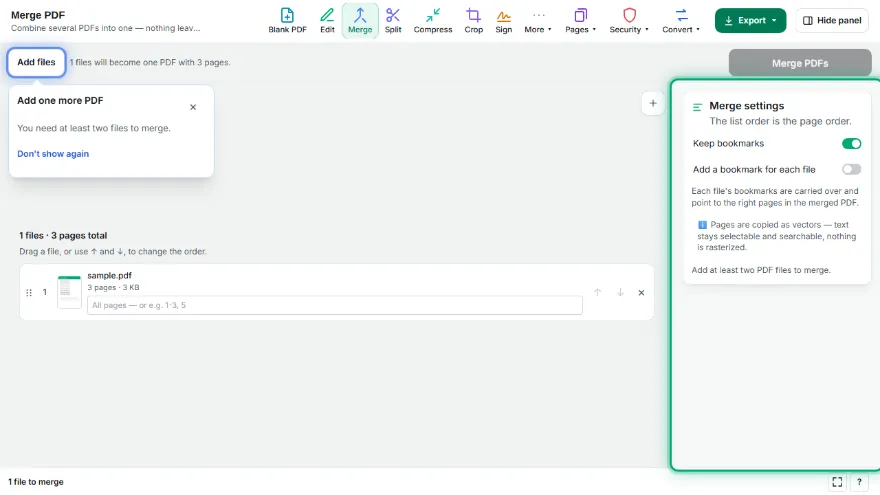
Put them in order
Use the arrows to move a file up or down — the list order is the page order.
- 3
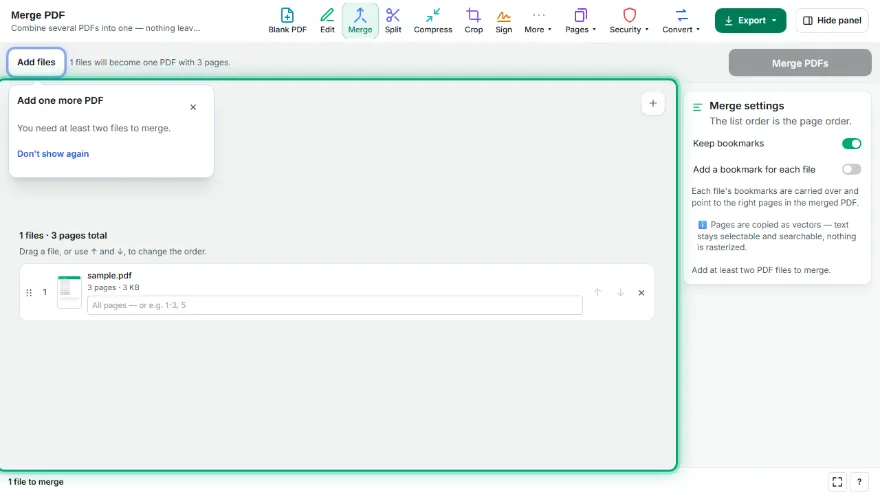
Merge
All pages are copied as vectors into one new document.
- 4
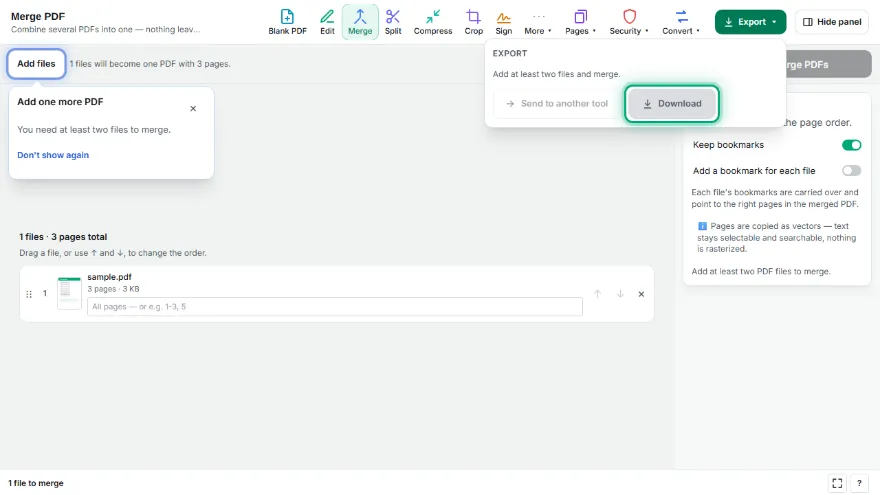
Download
Download the combined PDF.
Features
- ✓Pick only some pages from each file (e.g. 1-3, 5)
- ✓Combine up to 20 PDFs into a single document
- ✓Reorder files before merging — the list order is the page order
- ✓First-page thumbnails so you can tell the files apart
- ✓Pages are copied as vectors — text stays selectable and searchable, nothing is rasterized
- ✓Runs entirely in your browser — your files are never uploaded, no account needed
Frequently Asked Questions
Are my PDFs uploaded to a server?
No. Merging happens entirely in your browser — the files never leave your device and no account is needed.
Does merging affect quality or make text unselectable?
No. Pages are copied as vectors rather than re-rendered as images, so text stays selectable and searchable and embedded fonts are preserved.
How do I change the order of the files?
Use the up and down arrows next to each file. The order in the list is exactly the page order in the merged document.
What if one of my files is password protected?
A protected or damaged file cannot be opened, and the tool tells you which file it was instead of silently skipping it. Remove the protection first, then merge.