PDF to Text
Get the text as plain text, Markdown or HTML.
How It Works
- 1
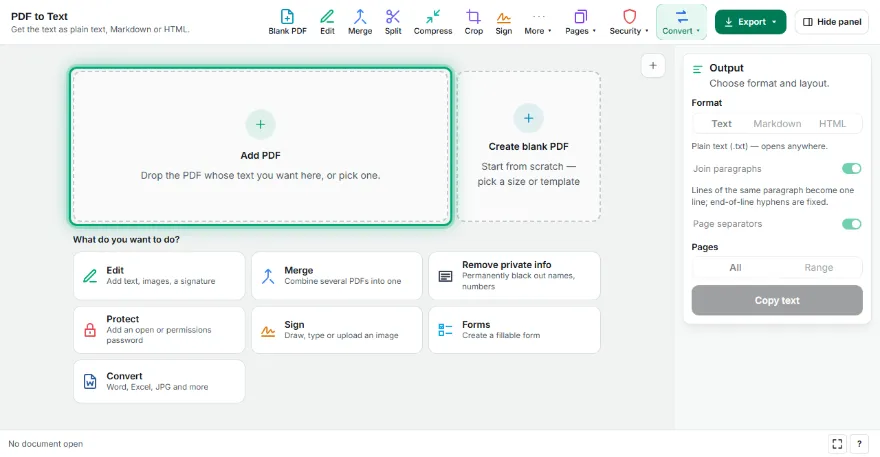
Add your PDF
Pick the PDF; the text is extracted instantly and shown in the preview.
- 2
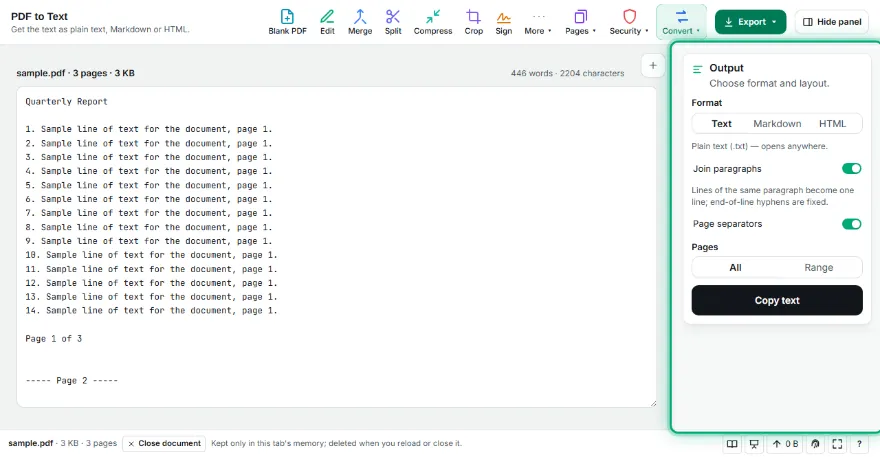
Choose a format
Plain text, Markdown or HTML. Set paragraph joining and page separators.
- 3

Edit if needed
Fix the text directly in the preview box.
- 4
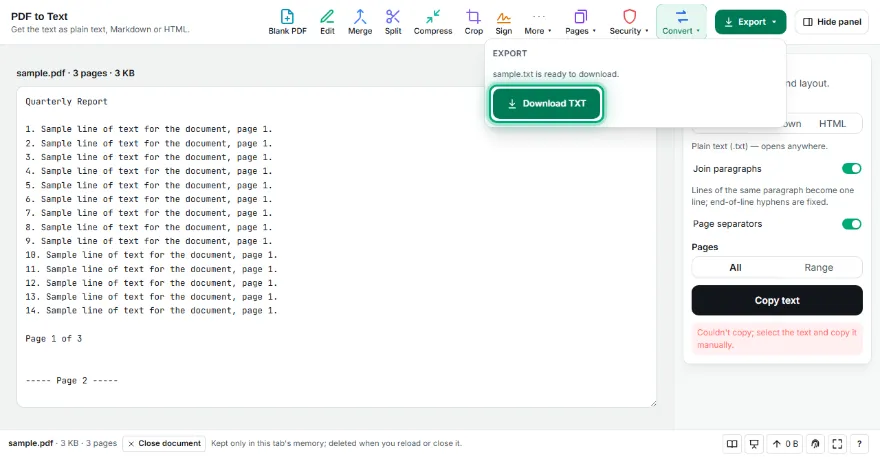
Copy or download
Copy to the clipboard in one click or download as .txt, .md or .html.
Features
- ✓Plain text (.txt), Markdown (.md) and HTML output
- ✓Headings detected from font size, lists from bullet markers
- ✓Joins paragraph lines and fixes end-of-line hyphenation
- ✓Page separators and page range selection
- ✓Edit in the preview, copy in one click
- ✓Scanned PDFs are detected and sent to the OCR tool
- ✓No sign-up; your PDF never leaves your device
Frequently Asked Questions
Does it work on scanned PDFs?
This tool reads the text layer inside the PDF. Scanned pages are only images, so they contain no text; the tool detects this and points you to the PDF OCR tool.
Are headings and lists kept?
Yes. Lines clearly larger than the body text become headings, and lines starting with a bullet or number become lists in Markdown and HTML.
What happens to tables?
Tables come through line by line as plain text, not as cells. To get table data in cells, the PDF to Excel/CSV tool is a better fit.
Why is there a 'join paragraphs' option?
PDFs store every line separately. With joining on, lines of the same paragraph become one line and end-of-line hyphens are fixed; with it off, the PDF's line breaks are kept exactly.
Is it free? Do I need an account?
It's free, with no sign-up. Your PDF isn't uploaded anywhere.