Password generator guide: what it does and when to use it
What this tool does
It builds a random password from the character sets you pick and shows its real strength in bits. Every character comes from your browser's cryptographic random number generator; values that would make some characters more likely than others are discarded and redrawn, so every character has the same chance. Nothing is sent over the internet.
When to use it
Use it whenever the password will live in a password manager rather than in your memory.
- ✓Signing up for a new account
- ✓Replacing a password after a breach notice, or one you have used on more than one site
- ✓Router, admin, database and API credentials
- ✓For a password you have to memorise, a passphrase is the better tool
How to generate a strong password, step by step
- 1

Set the length
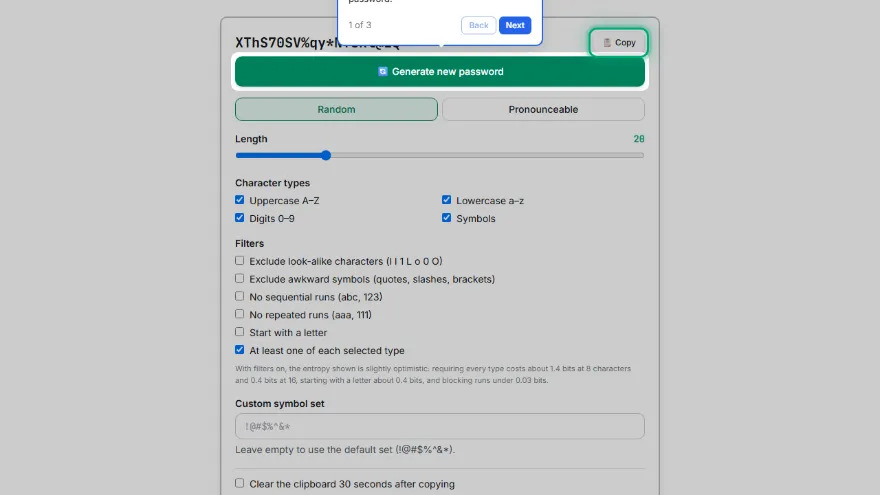
The default is 20. Keep at least 15 for any account where the password is the only thing protecting it.
- 2
Choose the character sets
Letters and digits alone are strong at this length. Turn symbols on where the site accepts them, or enter a custom symbol set if it only allows a few.
- 3
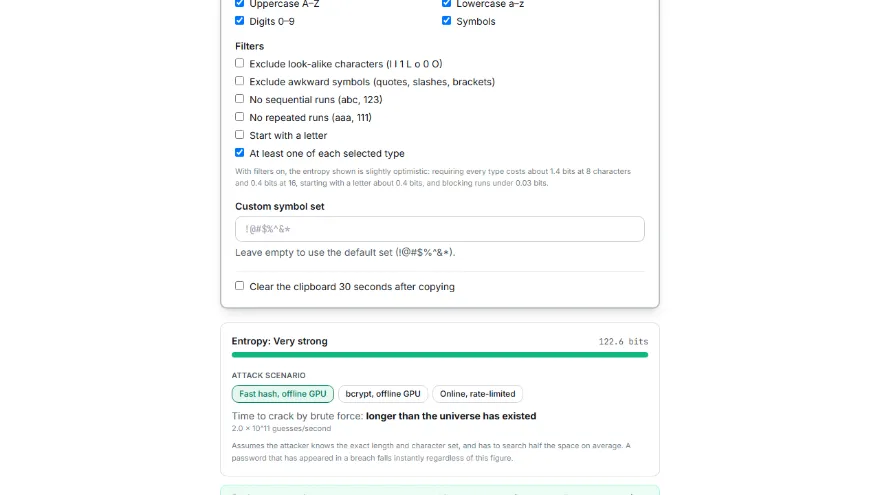
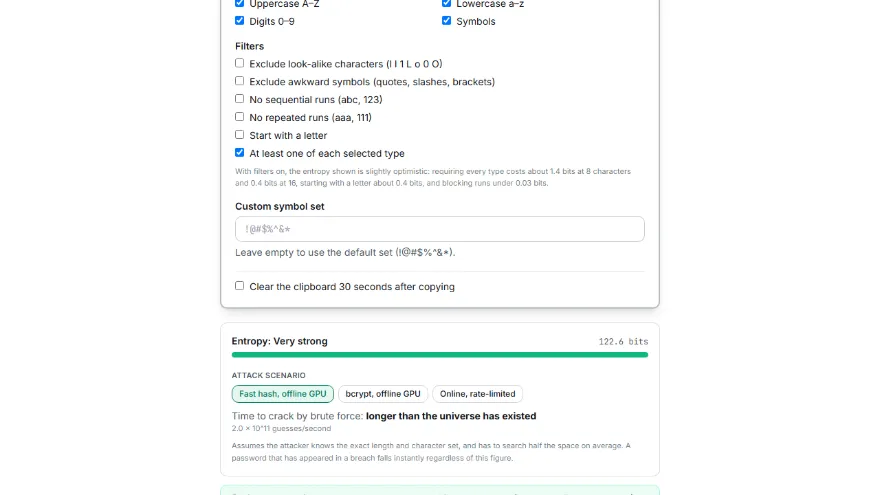
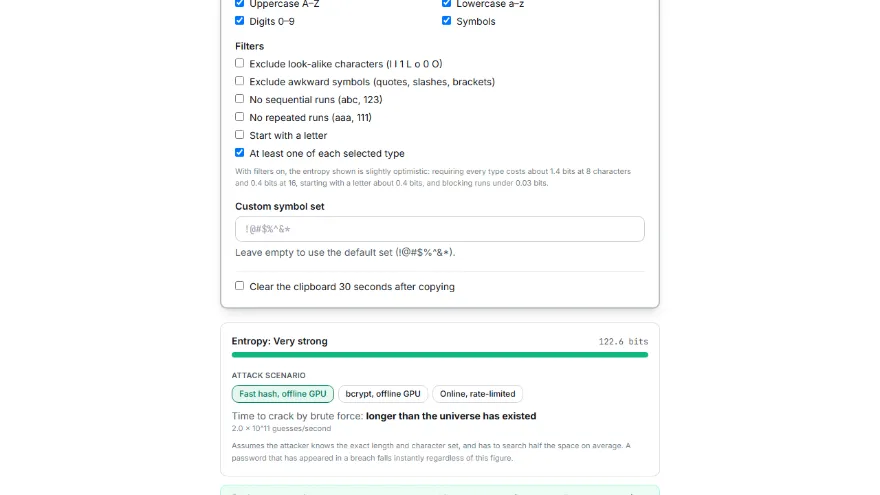
Add filters only if you need them
Excluding look-alike characters helps when you will read or type the password by hand. Each filter slightly shrinks the pool, and the entropy figure updates to show it.
- 4
Check the strength
Aim for 80 bits or more, which the meter labels very strong.
- 5
Copy it into your password manager
Optionally let the tool clear the clipboard 30 seconds later. Never paste passwords into notes, email or chat.
Tips, common mistakes and what the standard says
What NIST SP 800-63B-4 requires
The 2025 revision of the US federal digital identity guideline, which most modern password policies follow, separates SHALL (required) from SHOULD (recommended). For passwords it says:
- ✓SHALL: at least 15 characters when the password is the only factor, at least 8 when it is part of multi-factor authentication
- ✓SHOULD: accept passwords of at least 64 characters
- ✓SHALL NOT: impose composition rules such as “one upper case letter, one digit, one symbol”
- ✓SHALL NOT: require periodic changes — but SHALL force a change on evidence of compromise
- ✓SHALL: compare new passwords against a blocklist of common, expected or compromised values
- ✓SHALL: allow password managers and autofill; SHOULD: allow pasting
Common mistakes
Most weak passwords are not short — they are predictable.
- ✓Reusing one password on several sites, so a single breach opens all of them
- ✓Rotating with small edits, such as Summer2024! becoming Autumn2024!
- ✓Trusting symbols over length: 8 characters with symbols is about 49 bits, 16 letters and digits about 95
- ✓Building it from names, dates, keyboard walks or letter-for-symbol swaps
Reading the entropy figure
Entropy answers one question: how many guesses would an attacker need? It is length × log₂(alphabet size), and every extra bit doubles the work. The meter uses these bands:
- ✓Below 28 bits — weak: guessed in well under a second
- ✓28–59 bits — fair: at most a few weeks on average
- ✓60–79 bits — strong: from about a month to tens of thousands of years
- ✓80 bits and above — very strong: about 96,000 years on average at 80 bits, doubling with each extra bit
Sources
Requirements are quoted from NIST SP 800-63B-4, section 3.1.1. Times assume an offline attack on a fast hash at 2 × 10¹¹ guesses per second (hashcat measured 164 GH/s for MD5 and 288 GH/s for NTLM on one RTX 4090) and show the average case. Slow hashes and rate-limited logins make real attacks far slower; a leaked password falls instantly.
Features
- ✓Generated with your browser's secure randomness source — not a predictable pseudo-random generator
- ✓Real entropy calculation (bits) plus an honest, clearly-labeled crack-time estimate
- ✓Length from 8 to 64 characters, with independent toggles for uppercase/lowercase/numbers/symbols
- ✓Optional filters: exclude ambiguous characters, avoid sequential or repeating runs
- ✓Session-only history of your last 10 generated passwords — never stored, gone on refresh
- ✓Bulk generation (10/25/50/100) with copy-all, .txt and .csv download
- ✓Runs entirely in your browser — nothing is ever uploaded or logged
Password strength by length and character set
Each cell shows the entropy in bits and how long that entropy takes to brute-force. Why length beats complexity is visible by reading down the rows rather than across the columns.
| Length | Digits only10 chars | Lowercase26 chars | Letters + digits62 chars | Letters + digits + symbols70 chars |
|---|---|---|---|---|
| 8 | 27 bitinstantly | 38 bitinstantly | 48 bit9 minutes | 49 bit24 minutes |
| 10 | 33 bitinstantly | 47 bit6 minutes | 60 bit24 days | 61 bit82 days |
| 12 | 40 bit2 seconds | 56 bit3 days | 71 bit255.6 years | 74 bit1,097 years |
| 14 | 47 bit4 minutes | 66 bit5.1 years | 83 bit982,471 years | 86 bit5.4 million years |
| 16 | 53 bit7 hours | 75 bit3,455 years | 95 bit3.8 billion years | 98 bit26.3 billion years |
| 20 | 66 bit7.9 years | 94 bit1.6 billion years | 119 bitlonger than the universe has existed | 123 bitlonger than the universe has existed |
| 24 | 80 bit79,220 years | 113 bittrillions of years | 143 bitlonger than the universe has existed | 147 bitlonger than the universe has existed |
| 32 | 106 bittrillions of years | 150 bitlonger than the universe has existed | 191 bitlonger than the universe has existed | 196 bitlonger than the universe has existed |
Assumption: offline attack on a fast hash (MD5/NTLM) with a single high-end GPU — 2 × 10^11 guesses per second. Against a slow hash such as bcrypt the same password lasts millions of times longer, and against a rate-limited online service it is effectively unbreakable. A password that has appeared in a breach falls instantly regardless of this table.
Frequently Asked Questions
How long should a password be?
At least 15 characters for any account protected by the password alone — that is the minimum NIST SP 800-63B-4 requires for single-factor passwords, while 8 is allowed only when a second factor is also used. For passwords kept in a password manager there is no reason to stop there, which is why this generator defaults to 20. Length is the cheapest strength you can add, because each extra character multiplies the number of possibilities.
Is a 16-character password secure?
If it is random, yes: 16 characters drawn from letters and digits carry about 95 bits of entropy, which takes billions of years to brute-force on average even at 2 × 10¹¹ guesses per second. The same length offers far less when a person chose it, because memorable 16-character phrases are exactly what attack dictionaries contain. It also stops being secure the moment it is reused on a site that gets breached.
How many bits of entropy does a password have?
Multiply the length by log₂ of the alphabet size. Letters and digits give 62 characters, or 5.954 bits each, so 16 characters is about 95 bits; the default symbol set here adds eight more (!@#$%^&*), which brings a 20-character password to about 123 bits. When you enable filters or a custom symbol set, the pool changes and the figure is recalculated from it.
Do passwords still need symbols, numbers and capital letters?
Current federal guidance says services SHALL NOT force such composition rules, because they mostly produce predictable results like Password1!. What makes a password hard to guess is randomness and length, not the presence of a symbol. The generator still offers every character type because many sites continue to demand them.
How often should I change my password?
Only when there is a reason. NIST SP 800-63B-4 says services SHALL NOT require periodic changes, but SHALL force a change when there is evidence the password has been compromised. Change it straight away if a service reports a breach, if you shared it, or if you used it anywhere else.
What is a good password example?
Any password published as an example is a bad one, because attackers add published examples to their guess lists. A good password looks like the output of this tool — a long string of unrelated letters, digits and symbols — but generate your own rather than copying one you have seen. The part worth copying is the method: random, long, and used for one account only.
Is it safe to use an online password generator?
It is safe when the password is created on your own device and never transmitted. This page generates everything inside your browser with its cryptographic random number generator; nothing is sent to a server, logged or kept after you close the tab. Avoid generators that fetch passwords from a server, since you cannot know whether those are recorded.
Where should I keep a generated password?
In a password manager. NIST SP 800-63B-4 requires services to allow password managers and autofill, precisely so that long random passwords are practical to use. The tool can also clear your clipboard 30 seconds after copying, so the password does not linger there.