Redact PDF
Permanently black out text — nothing is uploaded
How It Works
- 1
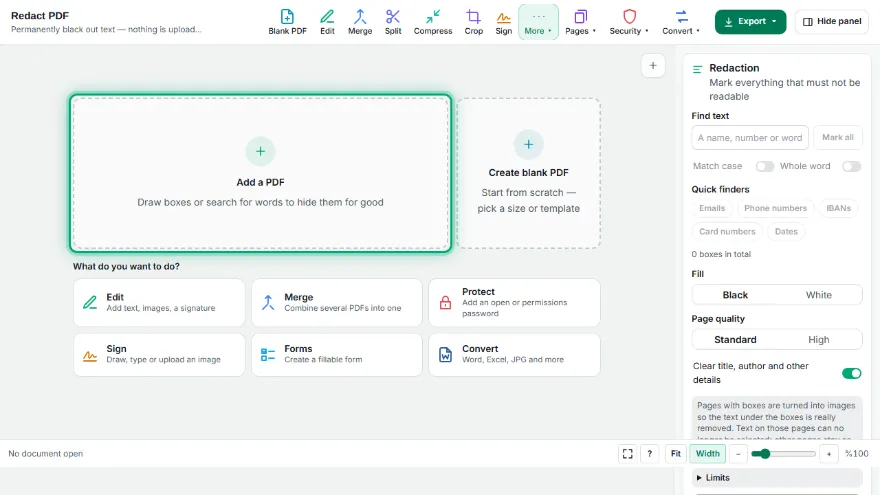
Open your PDF
Choose the file. It is opened in your browser and never uploaded.
- 2
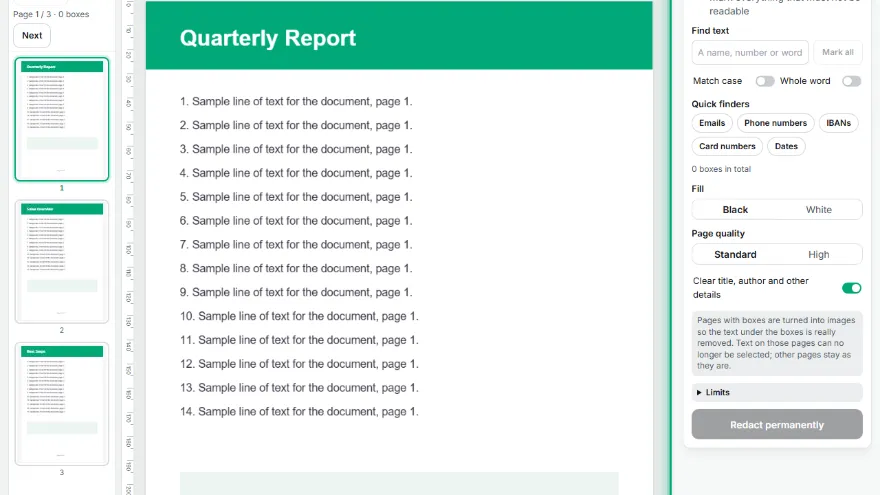
Mark what to hide
Drag boxes over the page, search for a word, or use the email, phone, IBAN, card and date finders.
- 3
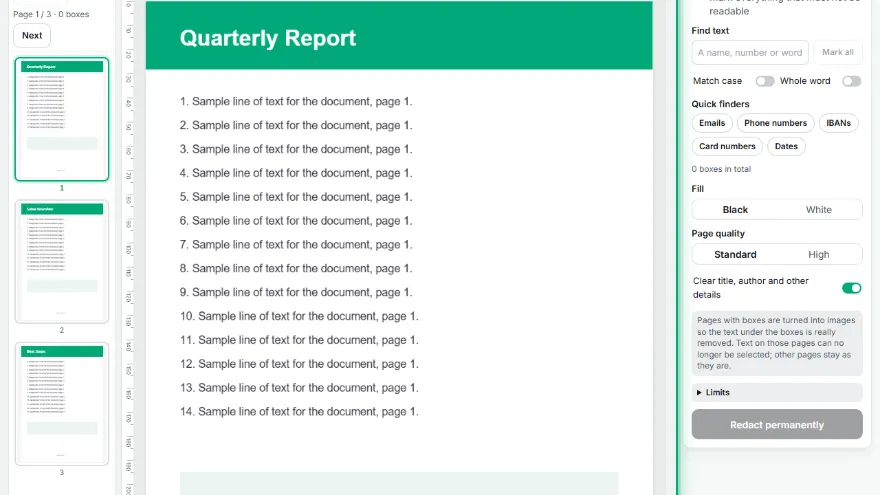
Choose the options
Black or white fill, standard or high quality, and whether to clear the document details.
- 4
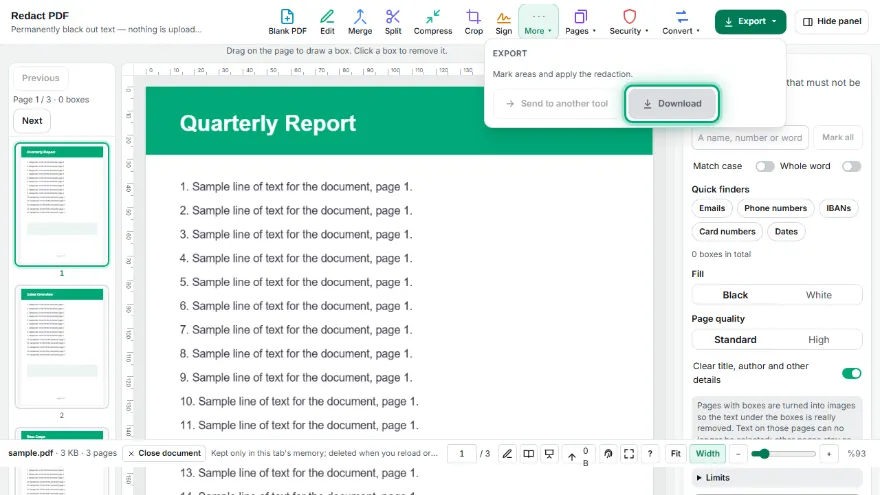
Apply and download
Marked pages are flattened and checked: if any text were left on them, you would be told before downloading.
Features
- ✓Real redaction: the text under the boxes is removed, not just covered
- ✓Draw boxes by hand on any page
- ✓Find a word or phrase on every page and mark all matches at once
- ✓One-click finders for emails, phone numbers, IBANs, card numbers and dates
- ✓Black or white fill
- ✓Clears title, author and other document details
- ✓Result is checked for leftover text before you download
- ✓Pages without boxes stay unchanged and searchable
- ✓Runs in your browser — the file is never uploaded
Frequently Asked Questions
Is the text really removed or just covered?
Really removed. Every page that has a box is redrawn as an image with the boxes painted in, and the original page is not copied into the new file. After that the tool reads the new file back: it checks that no text is left on the redacted pages and measures that every box is filled solid with the fill colour. If either check fails, the result is shown with a warning.
Why does the redacted page become an image?
Because that is the only reliable way to make sure nothing is hidden underneath. Text, vector shapes and hidden layers on that page are all replaced by the picture. The trade-off is that you can no longer select text on those pages; pages without boxes keep their selectable text.
How is this different from the white box in the PDF editor?
The editor's white box only covers content: the text underneath stays in the file and can be copied or found by search. Use this tool whenever the hidden information must not be recoverable.
Can it find names or numbers automatically?
Yes. Type any word or phrase and it marks every match on every page. There are also finders for emails, phone numbers, IBANs, card numbers and dates. Always check the marks — a finder can miss an unusual format, and you can add or remove boxes by hand.
Does it work on scanned PDFs?
Drawing boxes works on any page. Search and finders need a text layer, so they find nothing on a scanned page; run it through PDF OCR first if you want to search it.
Is my document uploaded?
No. Opening, searching, redacting and checking all happen in your browser. The file never leaves your device.