CSV to PDF
Turn CSV data into a tidy PDF table.
How It Works
- 1
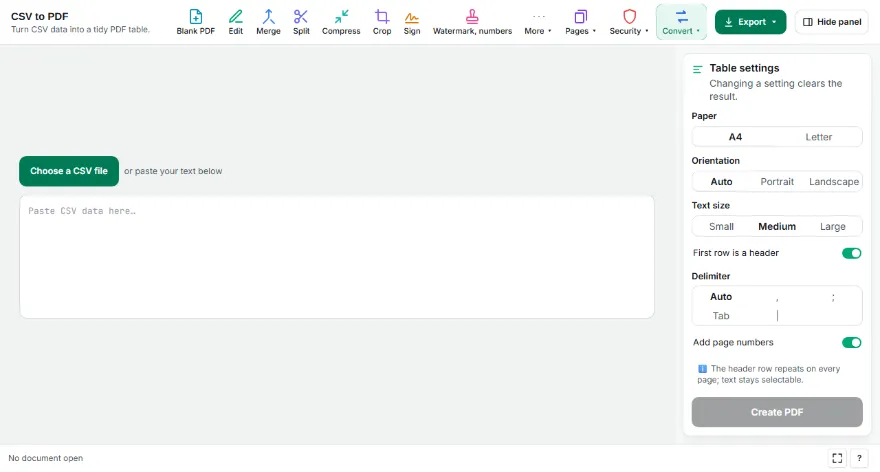
Add your CSV
Choose a .csv file or paste the data. Comma, semicolon, tab and pipe delimiters are detected automatically.
- 2
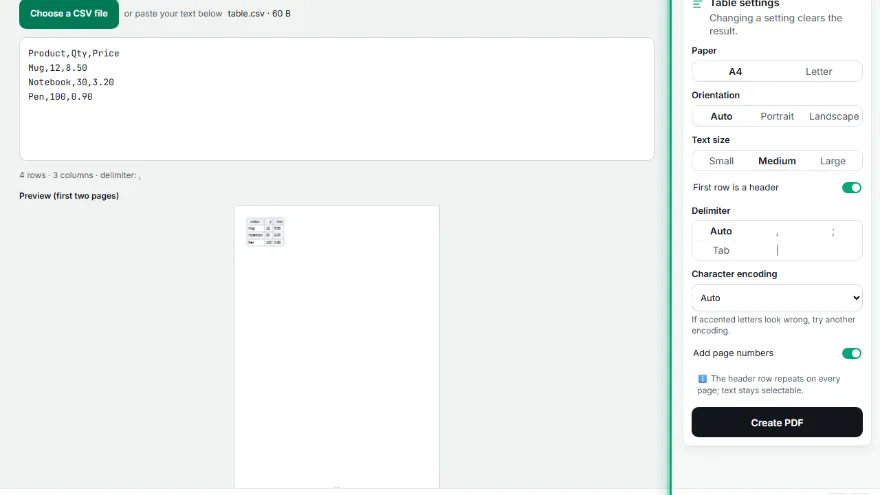
Set up the table
Choose whether the first row is a header, plus paper, orientation and text size. The first two pages are previewed live.
- 3
Download the PDF
Press “Create PDF”; the table is split across pages and the header appears on each one.

Features
- ✓Delimiter detection (, ; tab |)
- ✓Header row repeated on every page
- ✓Wide tables switch to landscape
- ✓Long cells wrap inside the row
- ✓Selectable text; the file never leaves your device
Frequently Asked Questions
Accented letters look wrong in my Excel CSV.
Excel often saves CSV with a legacy encoding. The tool usually detects it; if not, pick one from the encoding list.
What if the columns don't fit?
The page turns landscape first, then the text shrinks a little; if it still doesn't fit, long cells wrap.
Are commas inside quotes a problem?
No. Quoted fields are read correctly, including delimiters and line breaks inside them.
Is my file uploaded?
No. The conversion runs in your browser.