Settings
What was found and how to rebuild
Timing
Every frame is written whole and the GIF loops forever, so partial frames and disposal instructions can no longer cause flicker or trails.
Upload a GIF that flickers, leaves trails, plays at the wrong speed or half-loads. It is decoded frame by frame and written out again as a clean, standards-compliant file.
How to fix a broken GIF
- 1
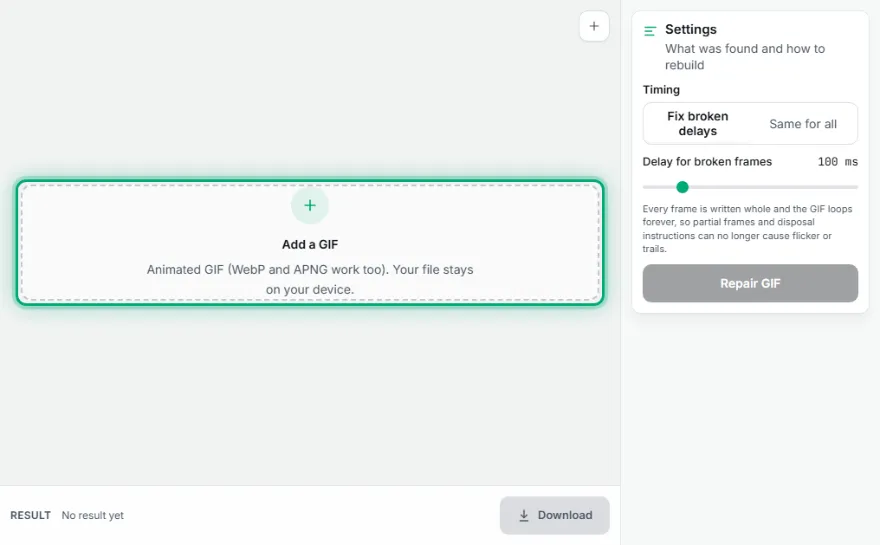
Add the broken GIF
Drop the file in. It is read entirely in your browser — nothing is uploaded.
- 2
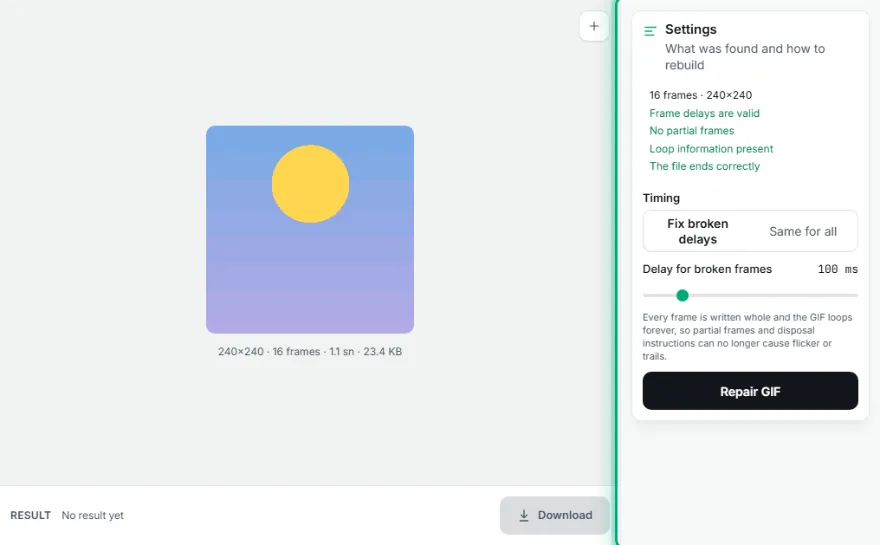
Check the frame count
The frames that could be recovered appear as a strip. If the count looks short, the file was truncated before you received it.
- 3

Set a consistent delay
Apply one delay to every frame to remove the ambiguity that causes speed problems.
- 4
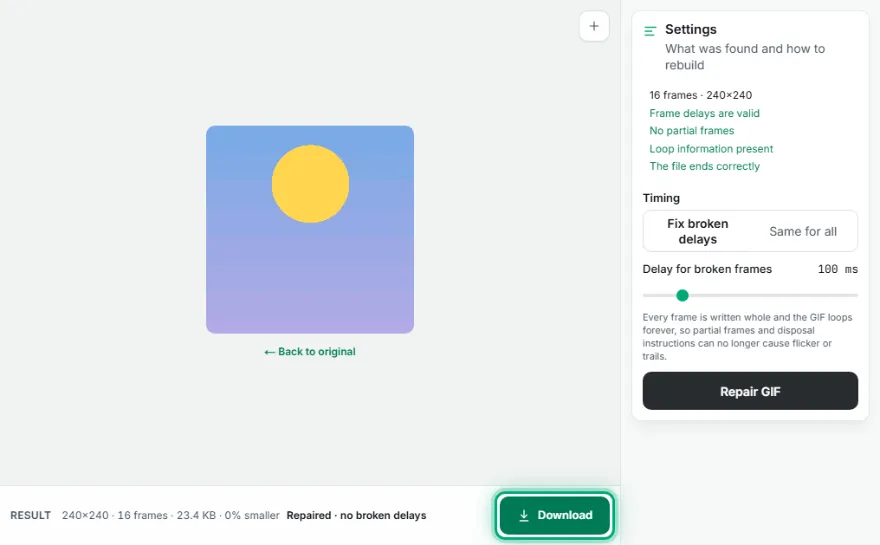
Rebuild and download
Generate the GIF again. The output is written whole, with no partial frames and no disposal instructions to go wrong.
Why GIFs break — and what can actually be fixed
Flickering and ghost trails
Most GIF glitches come from how the format saves space. Instead of storing every frame in full, a GIF usually stores only the pixels that changed, plus an instruction for what to do with the previous frame — keep it, clear it, or restore what was underneath. That instruction is called the disposal method, and when it is wrong or missing, the previous frame is left on screen: you get trails behind moving objects, or a flicker as the player disagrees with itself about what to erase.
Wrong or missing speed
Each frame carries its own delay value. When a file is produced by a tool that leaves the delay at zero, players disagree about what to do — some run the animation as fast as the screen allows, others silently substitute a tenth of a second. The result is an animation that races on one device and crawls on another. Rebuilding the file with an explicit, consistent delay on every frame removes the ambiguity.
How the repair works
Every frame is decoded to a complete, full-size image first — the partial frames and disposal instructions are resolved during decoding, so what comes out is a plain sequence of finished pictures. The file is then written again from that sequence, with every frame stored whole and every delay set explicitly. Because the output is rebuilt rather than patched, the structural faults that caused the flickering cannot survive the process.
Being honest about the limits
Repair recovers structure, not missing data. If a download was cut short, the frames that never arrived are gone, and no tool can invent them — you will get back a shorter, working GIF rather than the whole thing. The same is true of pixel data that was overwritten or corrupted: it can be rebuilt into a valid file, but the damaged pixels stay damaged. A file that has been through several rounds of re-compression also cannot regain the detail that was thrown away.
What this repairs
- ✓Flickering between frames
- ✓Ghost trails left behind moving objects
- ✓Frames that stick or appear out of order
- ✓Playing far too fast or far too slow
- ✓Animations that stop after the first frame
- ✓Files that some players open and others reject
What no tool can repair
- ✕Frames lost to an interrupted download — they are not in the file
- ✕Pixel data that was overwritten or corrupted
- ✕Detail already destroyed by repeated re-compression
- ✕A file that is not actually a GIF despite its name
Frequently Asked Questions
Can a corrupted GIF be repaired?
Structural faults can, and those cause most of the problems people see — flickering, ghost trails, stuck frames and wrong speed all come from how the file is assembled rather than from damaged pixels. Rebuilding the file fixes those completely. What cannot be repaired is missing data: if part of the file never arrived, those frames are gone.
Why does my GIF flicker or leave trails?
Because of the disposal method — the instruction telling the player what to do with the previous frame before drawing the next one. When it is wrong or absent, the old frame stays on screen behind the new one, which reads as a trail, or gets cleared inconsistently, which reads as a flicker. Rebuilding with every frame stored in full removes the instruction entirely, so there is nothing left to go wrong.
Why does my GIF play at the wrong speed?
Almost always because the per-frame delay is zero or missing. Players handle that case differently — some play as fast as they can, others substitute a default of around a tenth of a second — so the same file looks different everywhere. Setting one explicit delay on every frame makes playback identical across players.
My GIF only shows the first frame. Can that be fixed?
Often yes. It usually means the loop or delay information is malformed rather than the frames being missing. Once the file is decoded and written again with valid timing, the remaining frames play normally. If the decode finds only one frame, though, the rest genuinely is not in the file.
Will the repaired GIF lose quality?
The file is re-encoded, so it goes through the format's 256-colour palette again. For a GIF that already lives within that limit the visible difference is minimal. It is worth avoiding repeated round trips, though — each re-encode costs a little, so repair once and keep the result.
Is my file uploaded to a server?
No. The GIF is decoded, corrected and written again entirely in your browser. Nothing is uploaded, nothing is stored, and closing the tab is enough to discard it.