PDF to TIFF
Convert pages to a multi-page TIFF.
How It Works
- 1
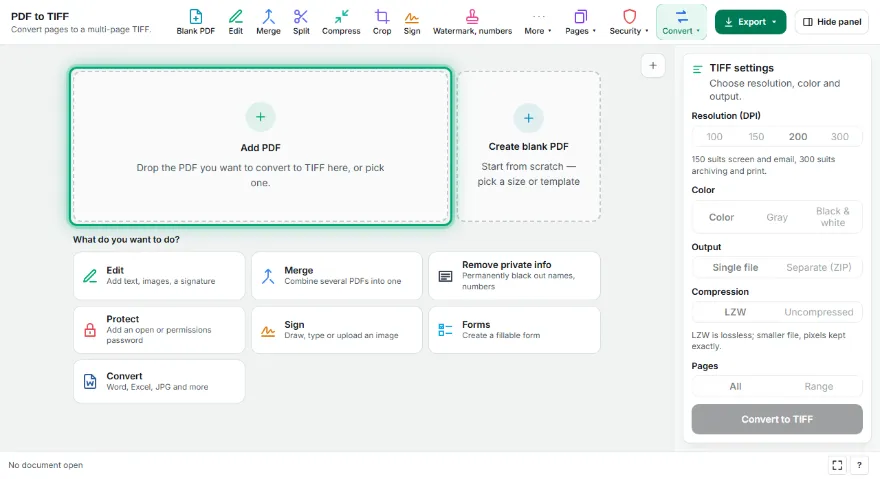
Add your PDF
Pick the PDF you want to convert; the first page appears in the preview.
- 2
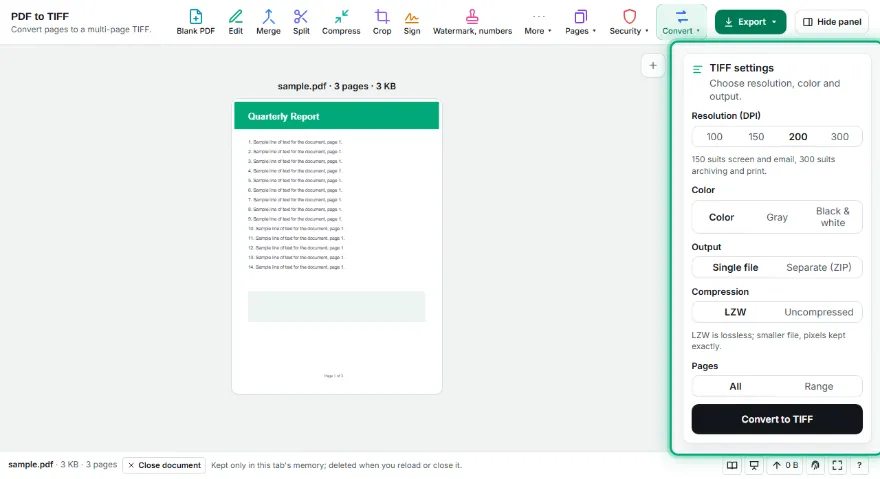
Choose resolution and color
100, 150, 200 or 300 DPI; color, grayscale or black-and-white (with a threshold for black-and-white).
- 3

Choose the output
All pages in one multi-page TIFF or a TIFF per page (ZIP). LZW compression or uncompressed.
- 4
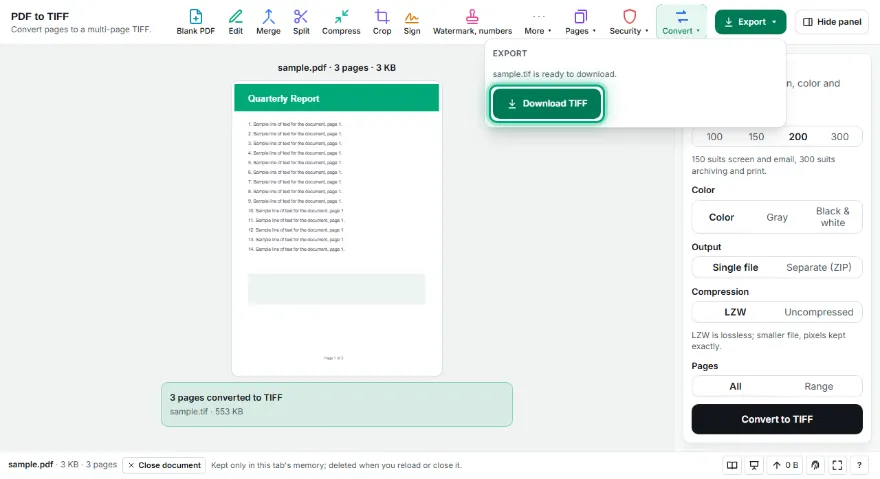
Convert and download
Press Convert and download the TIFF file.
Features
- ✓One multi-page TIFF or a separate TIFF per page (ZIP)
- ✓100, 150, 200 or 300 DPI, with the DPI written into the file
- ✓Color, grayscale or black-and-white (1-bit) with adjustable threshold
- ✓Lossless LZW compression or uncompressed TIFF
- ✓All pages or a page range
- ✓No sign-up, no watermark; your PDF never leaves your device
Frequently Asked Questions
Do I get one multi-page TIFF or separate files?
Either. 'One multi-page TIFF' puts every page in a single file (the format fax and archive systems expect); 'Separate TIFFs' saves each page as its own file inside a ZIP.
Which DPI should I choose?
150 DPI is enough for reading on screen and email. 300 DPI is recommended for archiving and print; files get larger. Fax and document systems often want 200 DPI black-and-white.
Does LZW compression reduce quality?
No. LZW is lossless: pixels are kept exactly, only the file gets smaller. If a very old system can't open compressed TIFFs, choose 'Uncompressed'.
When is black-and-white TIFF useful?
For text-only documents it makes files very small and works with fax and document management systems. The threshold slider decides which tones count as black.
Is it free? Do I need an account?
It's free, with no sign-up and no watermark. Your PDF isn't uploaded anywhere.