Metadata
Found in your images
- JPG: metadata is removed without re-compressing the photo.
- PNG: text, date and EXIF chunks are removed.
- HEIC (iPhone): saved as a clean JPG.
How It Works
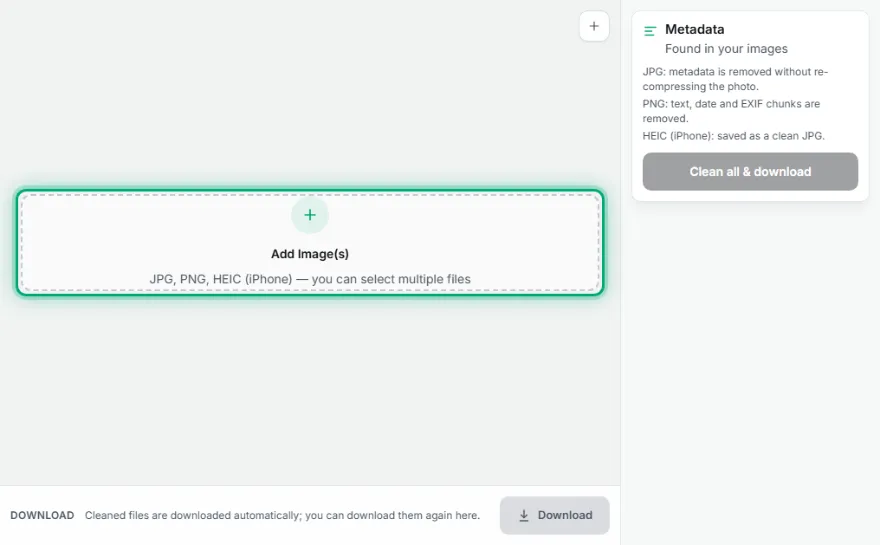
- 1
Upload your image(s)
Choose your JPG, PNG, or HEIC file(s) — multiple allowed.
- 2
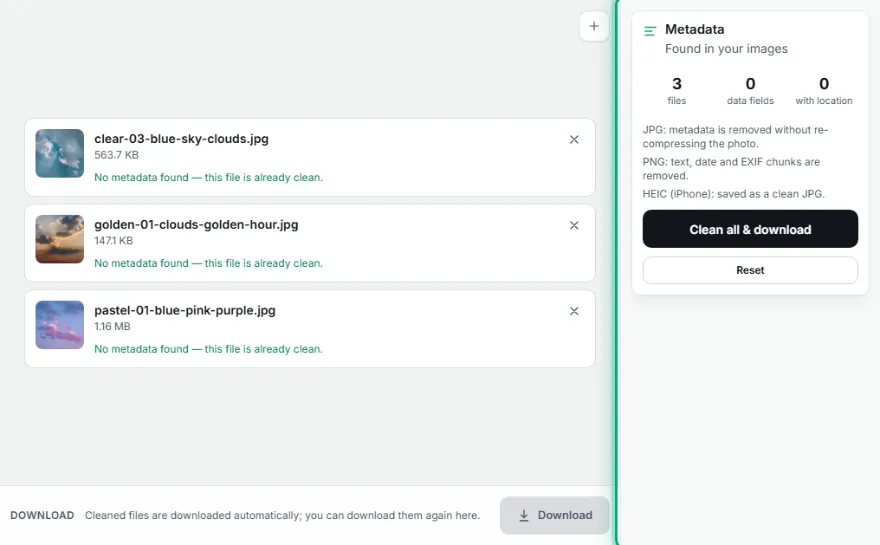
Review what was found
See which fields were found, like GPS, camera model, date.
- 3

Clean
Remove all metadata in one click with 'Clean All & Download'.
- 4
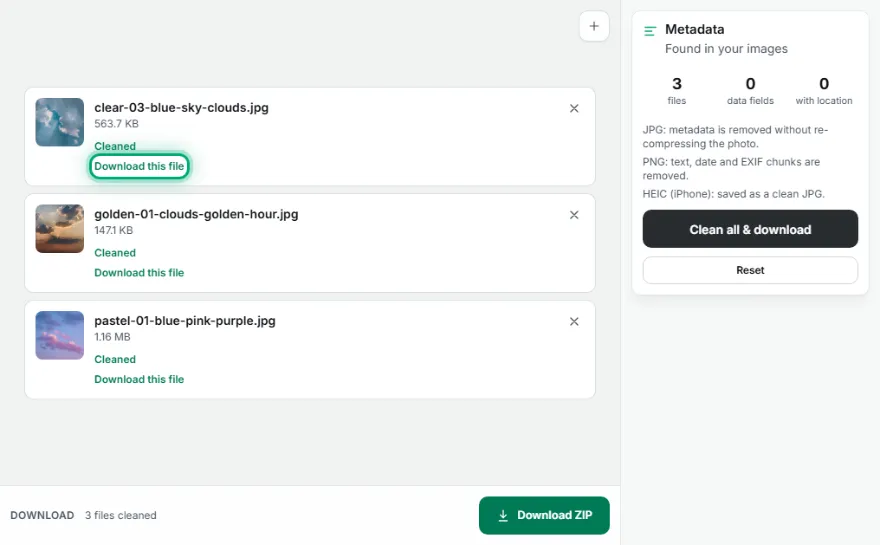
Download
The cleaned file(s) download automatically — as a .zip if there's more than one.
Features
- ✓Removes GPS location, camera model, date, software, and embedded thumbnail
- ✓Pixel data is never re-compressed in JPG — zero quality loss
- ✓HEIC (iPhone) input is automatically converted to a clean JPG output
- ✓Shows which fields were found before cleaning
- ✓Process multiple files at once and download as a .zip
- ✓Runs entirely in your browser — no file is ever uploaded to a server
Frequently Asked Questions
What exactly is EXIF/metadata?
Invisible data embedded inside photos — GPS location, the camera/phone model it was taken with, date/time, the software used, and sometimes a small preview thumbnail. When you share a photo, this information travels with it.
Does the photo's visual quality get worse?
Not for JPG files — the pixel data is never re-compressed, only the metadata segments are stripped out at the byte level. PNG is already lossless. HEIC (iPhone) files are converted to a clean JPG since browsers can't write HEIC.
What formats are supported?
JPG, PNG, and HEIC (iPhone photos) are fully supported. TIFF isn't supported since it can't currently be cleaned reliably/losslessly.
Are my files uploaded anywhere?
No, the entire scanning and cleaning process happens entirely in your browser — no file is ever sent to a server.