Pages per Sheet (N-up)
Several pages on every sheet — save paper.
How It Works
- 1
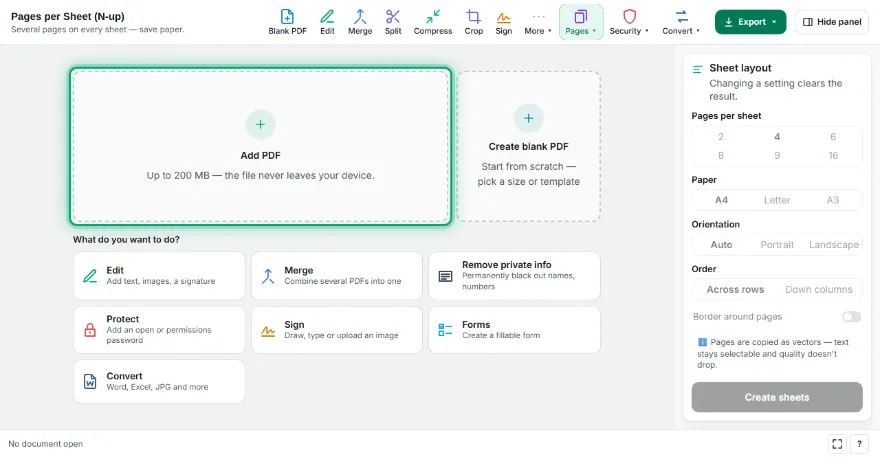
Add your PDF
Choose the PDF you want to print.
- 2
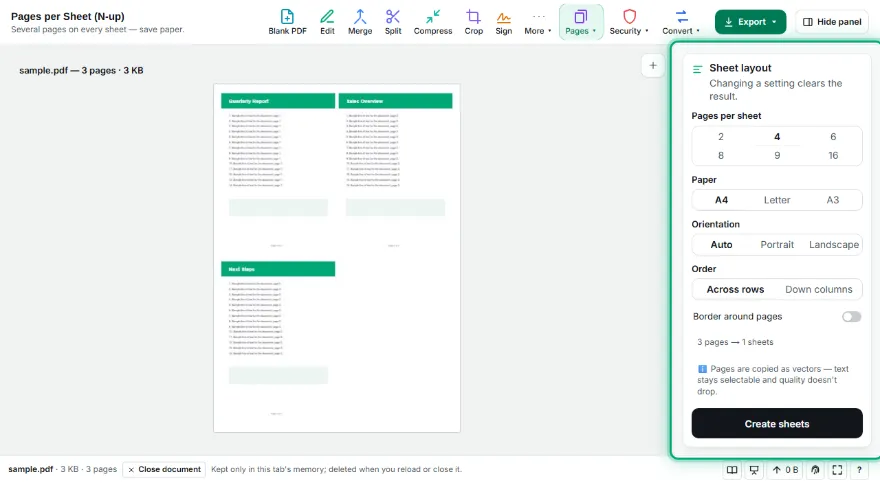
Choose the layout
Pick pages per sheet (2–16), paper, orientation and order. The first sheet is previewed live.
- 3

Create and print
Press “Create sheets”, download the PDF and print it with normal settings.
Features
- ✓2, 4, 6, 8, 9 or 16 pages per sheet
- ✓A4, Letter and A3 paper
- ✓Automatic orientation (largest page size)
- ✓Row or column order, optional borders
- ✓Live preview; pages stay vector
Frequently Asked Questions
How is this different from my printer's “pages per sheet”?
You get a permanent PDF: share it or print it on any printer with the same layout.
Will text stay readable?
Pages are scaled as vectors and stay sharp when zoomed. With many pages (e.g. 16) text is physically smaller.
How is the orientation chosen?
On Auto, the tool picks portrait or landscape — whichever makes pages largest. You can also set it yourself.
What if pages have different sizes?
Each page is centred in its cell, keeping its proportions.