Inspect PDF
Find what a PDF hides before you share it — nothing is uploaded
How It Works
- 1
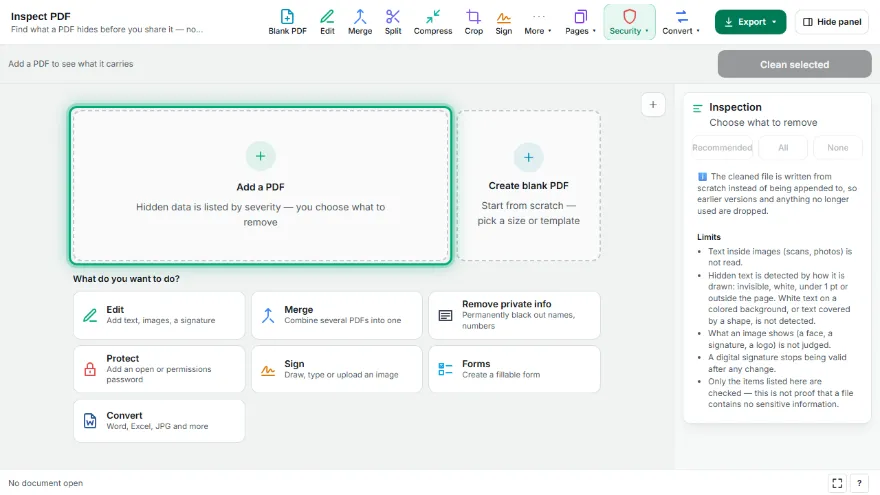
Add your PDF
Choose the file. It is inspected on your device and every finding is listed by severity.
- 2
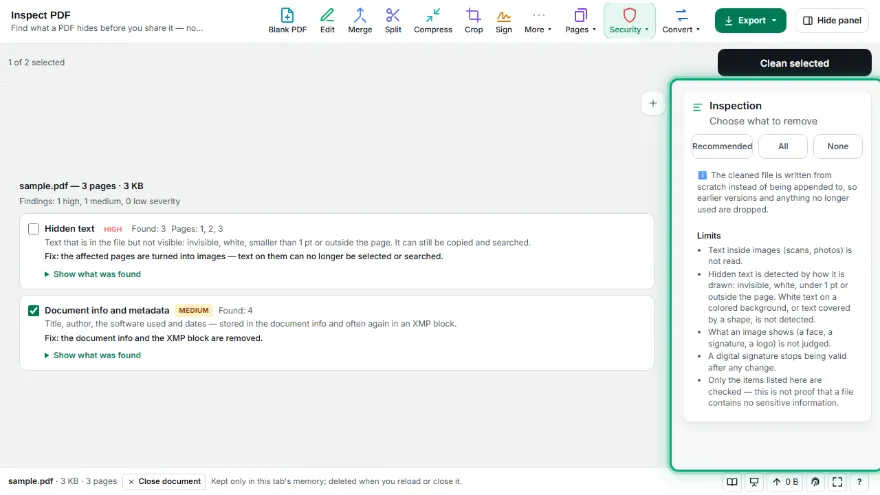
Read the findings
Open a finding to see exactly what was found — the author name, the comment text, the words that only exist in an earlier version.
- 3

Choose what to remove
Recommended items are already selected. Bookmarks, layers and page-to-image fixes are only applied if you tick them.
- 4
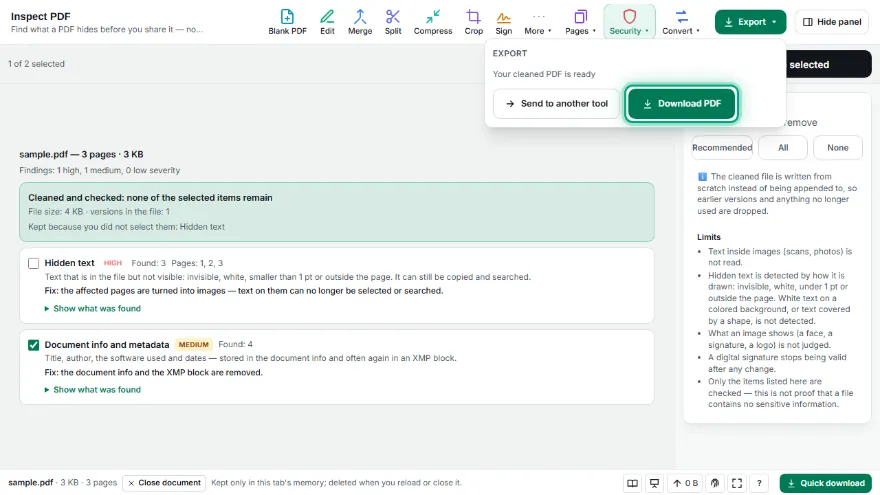
Clean and download
The cleaned file is inspected again and the result is shown before you download it.
Features
- ✓Finds document info and XMP metadata, comments and markup, attached files, scripts, form values, layers, bookmarks, thumbnails and application data
- ✓Detects earlier versions saved inside the file and lists the words that only exist in them
- ✓Detects hidden text: invisible, white, smaller than 1 pt or placed outside the page
- ✓Findings are grouped as high, medium or low severity, with the exact values shown
- ✓The cleaned file is written from scratch as a single version, then inspected again to confirm
- ✓Pages with hidden text or hidden layers can be turned into images on request; other pages stay untouched
- ✓Runs entirely in your browser — your PDF is never uploaded, no account needed
Frequently Asked Questions
What hidden data can a PDF contain?
Besides what you see on the page, a PDF can carry the author's name and the software used, comments with reviewers' names, attached files, scripts, typed form values, switched-off layers, text that is invisible or white, and complete earlier versions of the document.
What are earlier versions in a PDF?
Many editors save changes by appending them to the end of the file instead of rewriting it. The old version stays inside: text you deleted can be recovered by cutting the file at an earlier point. This tool lists the words that exist only in earlier versions, and the cleaned file is always written as a single version.
Is my PDF uploaded to a server?
No. Inspecting and cleaning happen in your browser; the file never leaves your device and no account is needed.
Why are some pages turned into images?
Hidden text and the content of hidden layers are part of the page's drawing instructions, mixed with what you see. The only reliable way to drop them is to keep the page exactly as it looks, as an image. Text on those pages can no longer be selected or searched, so this is only done when you choose it.
Does cleaning keep a digital signature valid?
No. Any change to a signed file invalidates its signature. The tool warns you when a signature is present; clean a copy, or ask the signer for a cleaned version.
Is the cleaned file guaranteed to be free of sensitive data?
No tool can promise that. This one removes and re-checks the items it lists. It does not read text inside images such as scans, and it does not detect white text on a colored background or text covered by a shape. The limits are listed next to the tool.