Extract PDF Pages
Click the pages you want to keep — your file stays on your device.
How It Works
- 1
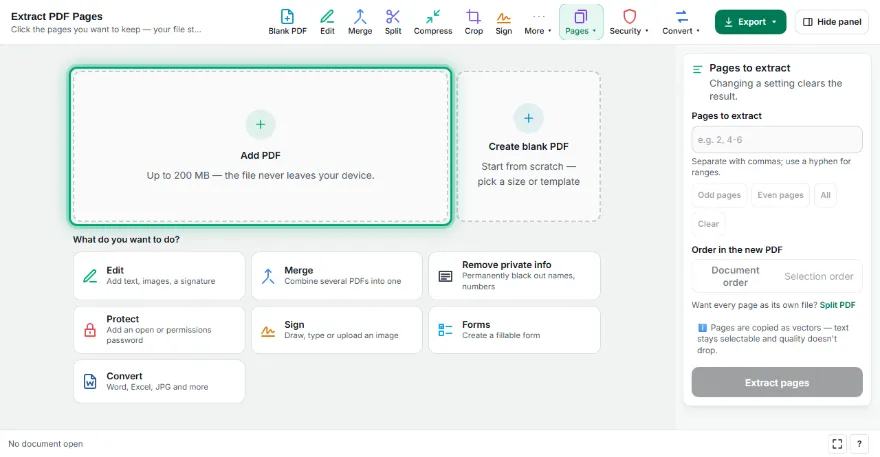
Add your PDF
Choose the PDF you want to take pages from.
- 2
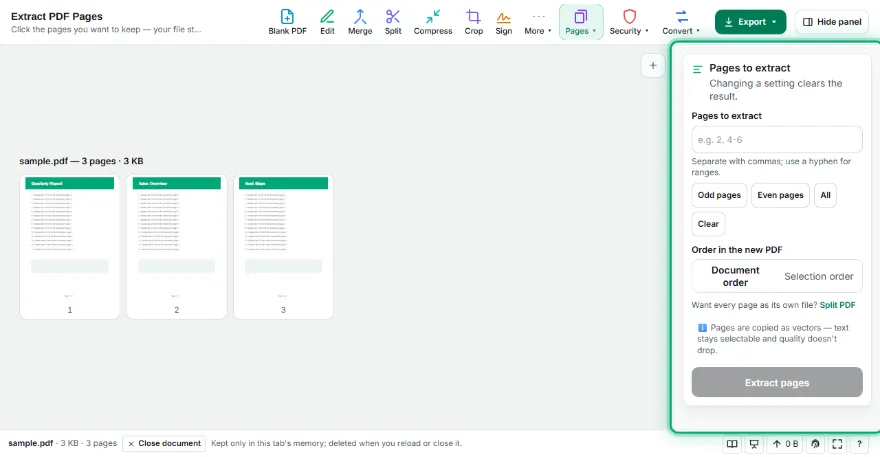
Select pages
Click the pages you need or type numbers like 1, 3-5. Keep document order or the order you clicked.
- 3
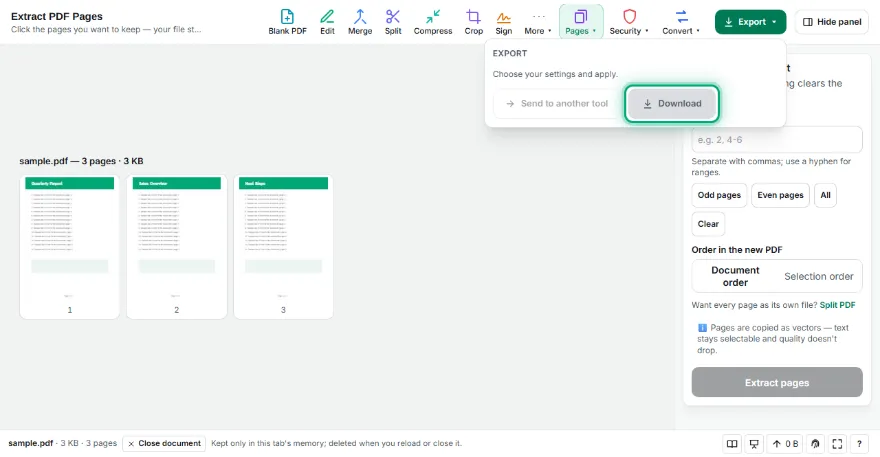
Download the new PDF
Press “Extract pages” and download a PDF with only the pages you chose.
Features
- ✓Select by clicking or by page number
- ✓Document order or click order
- ✓Quick odd/even selection
- ✓Pages copied as vectors
- ✓The file never leaves your device
Frequently Asked Questions
Does extracting change the original file?
No. A new PDF is made from the pages you choose; the original stays as it is.
Can I take pages in a different order?
Yes. Choose “Selection order” and pages go into the new PDF in the order you clicked them.
Can I save each page as a separate file?
Use the “Every page” option in Split PDF for that.
Does text stay selectable?
Yes. Pages are copied without being redrawn; text, links and images are kept.