Markdown to PDF
Turn a Markdown document into a clean PDF.
or paste your text below
No document open
How It Works
- 1
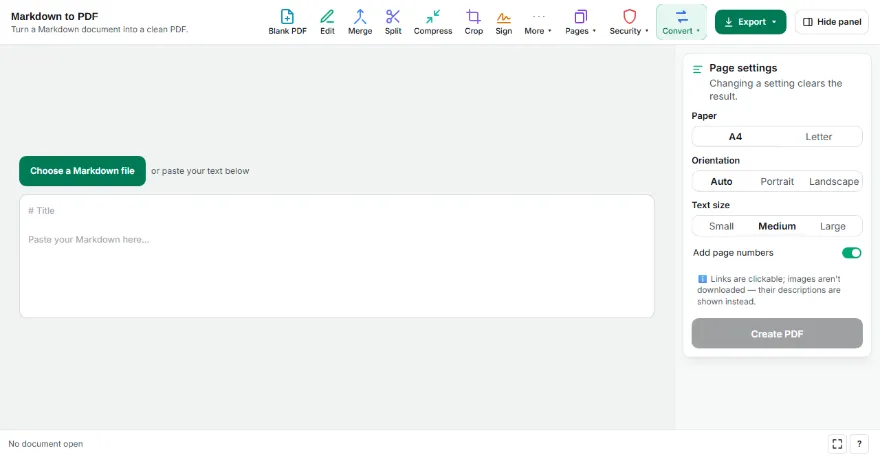
Add your Markdown
Choose a .md file or paste Markdown text; you can edit it here.
- 2
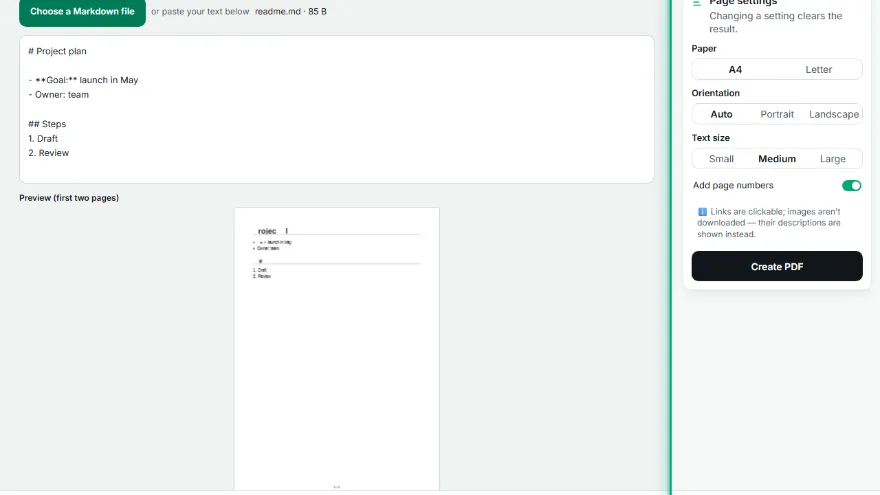
Adjust the layout
Choose paper, orientation and text size. The first two pages are previewed live.
- 3

Download the PDF
Press “Create PDF”; links are clickable and text is selectable in the PDF.
Features
- ✓Headings, lists, task lists, quotes
- ✓Code blocks in a monospaced font
- ✓Tables (with alignment)
- ✓Clickable links, selectable text
- ✓Remote images aren't fetched; the file never leaves your device
Frequently Asked Questions
Which Markdown features are supported?
Headings, bold/italic, inline code, links, bulleted and numbered lists, task lists, quotes, code blocks, tables and horizontal rules.
Why don't images show?
Images aren't downloaded from other servers (for your privacy); their descriptions are written instead.
Do links work?
Yes. Links are clickable in the PDF and shown blue and underlined.
Is my file uploaded?
No. The conversion runs in your browser.