TIFF to PDF
Convert TIFF and TIF files to PDF.
How It Works
- 1
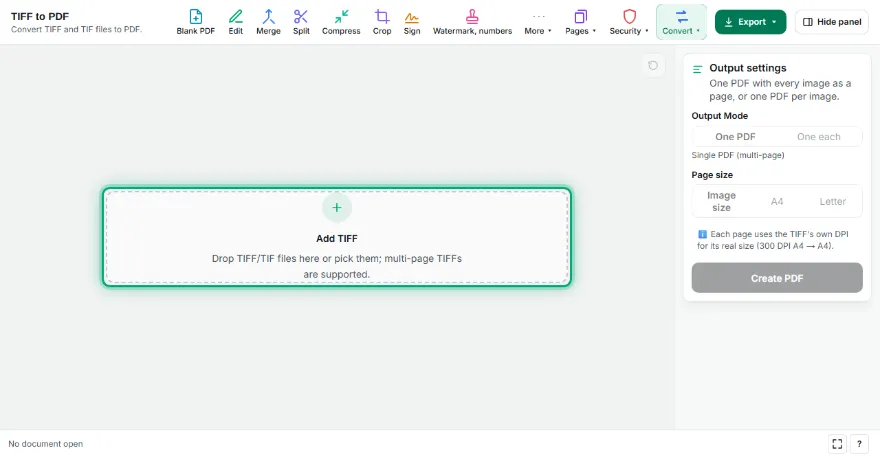
Add your TIFF files
Pick one or more TIFF/TIF files. Each page of a multi-page TIFF appears as its own thumbnail.
- 2
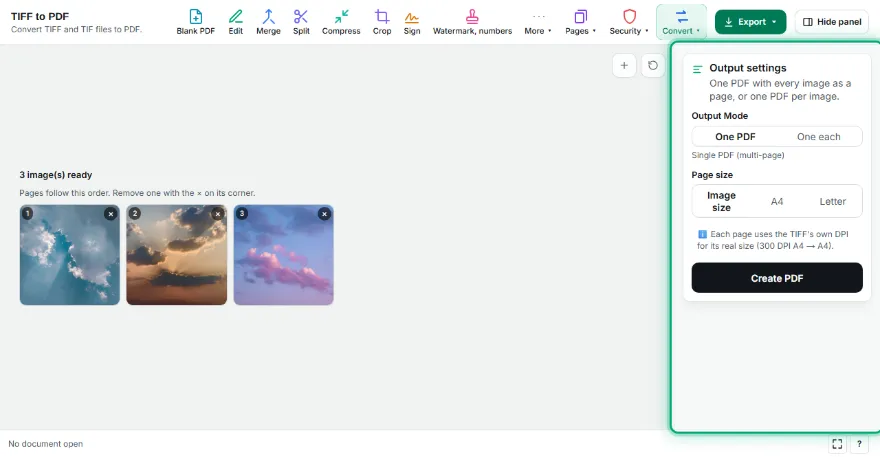
Arrange the pages
Remove pages you don't need; pages follow the order you add them in.
- 3
Choose the page size
Image size (the scan's real size), A4 or Letter, with orientation and margin.

- 4
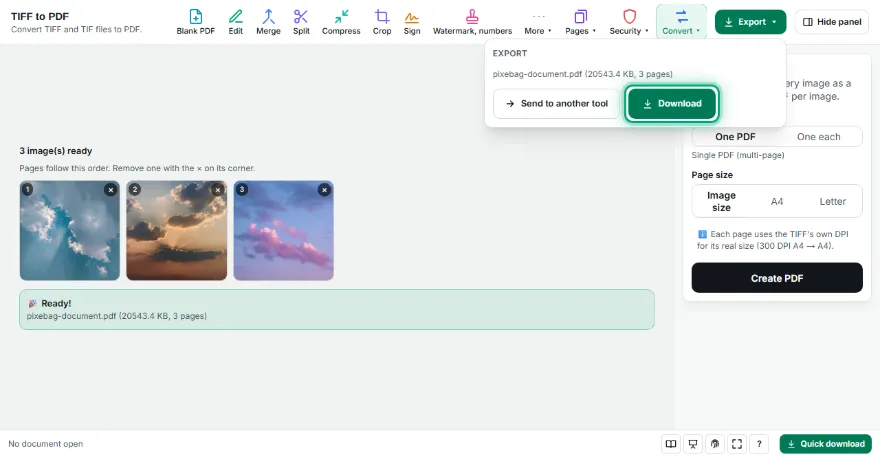
Create the PDF
Download one PDF, or a separate PDF per image as a ZIP.
Features
- ✓Multi-page TIFF support — every page becomes a PDF page
- ✓DPI is kept: a 300 DPI scanned A4 stays A4 in the PDF
- ✓LZW, PackBits, Deflate and uncompressed TIFF; color, gray, black-and-white, palette, CMYK
- ✓Fit to A4 or Letter, with orientation and margins
- ✓Combine TIFF with JPG, PNG and HEIC in the same PDF
- ✓No sign-up, no watermark; your files never leave your device
Frequently Asked Questions
Are multi-page TIFFs supported?
Yes. When you add a multi-page TIFF, each page is listed as its own thumbnail; remove the ones you don't need and get one ordered PDF.
Will the page size be right?
With 'Image size' selected, the DPI stored in the TIFF is used, so a 300 DPI scanned A4 page is exactly A4 in the PDF. You can also fit pages to A4 or Letter.
Which TIFF types can't be opened?
TIFFs with fax compression (CCITT Group 3/4) or JPEG compression inside aren't supported yet. The tool shows a clear message for them; save the file as LZW TIFF, PNG or JPG and try again.
Is quality reduced?
No. TIFF pages are embedded in the PDF losslessly, with no re-compression.
Is it free? Do I need an account?
It's free, with no sign-up and no watermark. Your files aren't uploaded anywhere.