Watermark & Page Numbers
Stamp every page of a PDF — nothing leaves your browser.
How It Works
- 1
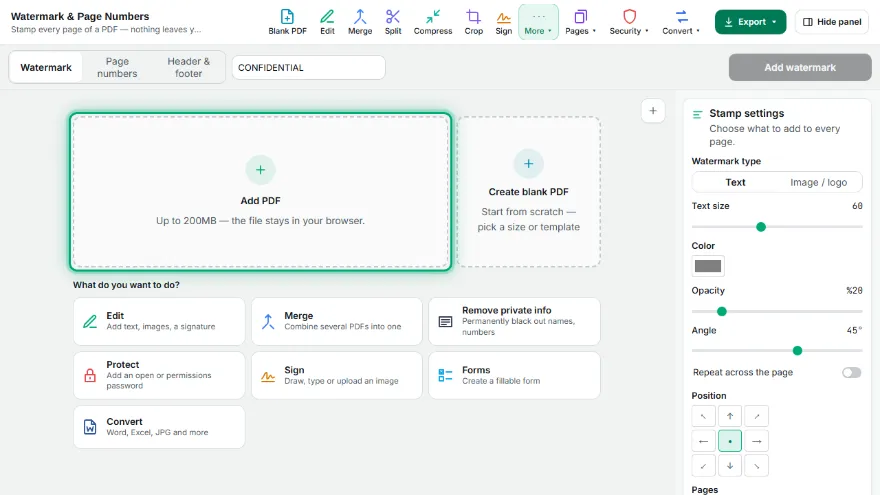
Add your PDF
Choose the PDF you want to stamp. It stays in your browser.
- 2
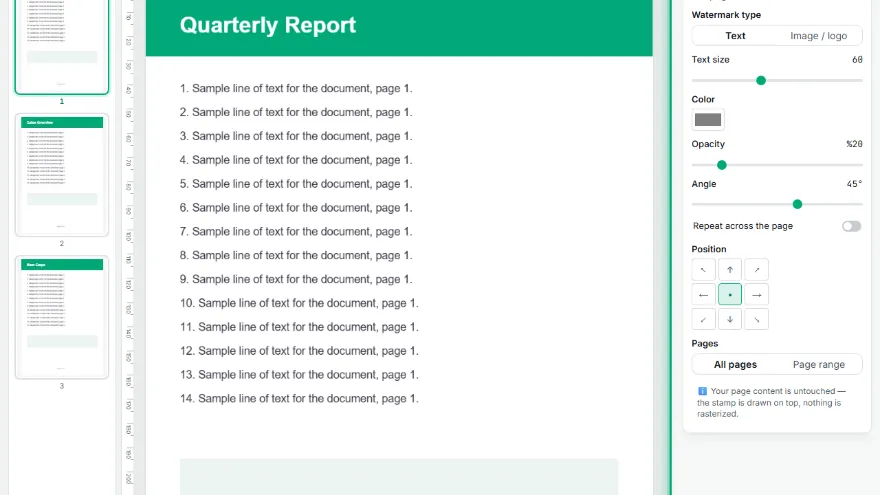
Pick watermark or page numbers
Switch between the two tabs in the settings panel.
- 3

Adjust the look
Set the text, size, opacity and angle — or the number format, position and starting number.
- 4
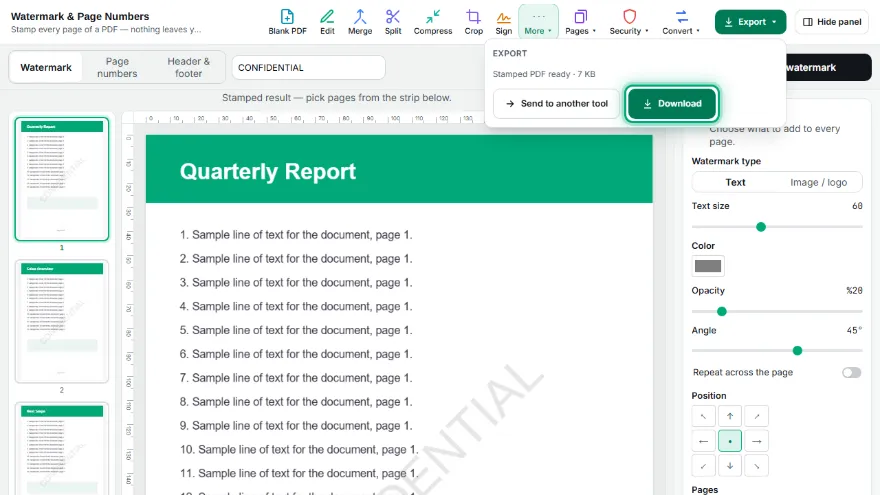
Apply and download
The first page preview updates to show the real result, then download the stamped PDF.
Features
- ✓Image or logo watermark with adjustable size
- ✓Any angle, nine positions, or repeated across the whole page
- ✓Header and footer text with page, date, file name and Bates number variables
- ✓Apply to all pages or a page range
- ✓Text watermark on every page — size, opacity and diagonal or horizontal angle
- ✓Page numbers in five positions, three formats, with a custom starting number
- ✓Skip the first page so a cover sheet stays clean
- ✓Full Turkish character support — the font is really embedded, nothing is transliterated
- ✓The existing page content is untouched: text stays selectable, nothing is rasterized
- ✓Runs entirely in your browser — your PDF is never uploaded, no account needed
Frequently Asked Questions
Is my PDF uploaded to a server?
No. The stamp is applied in your browser — the file never leaves your device and no account is needed.
Does stamping flatten my PDF or break the text?
No. The document is opened and drawn on, not re-rendered as images, so the existing text stays selectable and searchable and embedded fonts are kept.
Do Turkish characters work in the watermark?
Yes. A Unicode font with full Turkish glyph coverage (ı, İ, ğ, Ğ, ş, Ş) is embedded into the output, so characters are not replaced or transliterated.
Can I keep the cover page without a number?
Yes. Turn on "Skip first page" — numbering then starts on the second page, and the total counts only the numbered pages.