TXT to PDF
Turn a text file or pasted text into a PDF.
How It Works
- 1
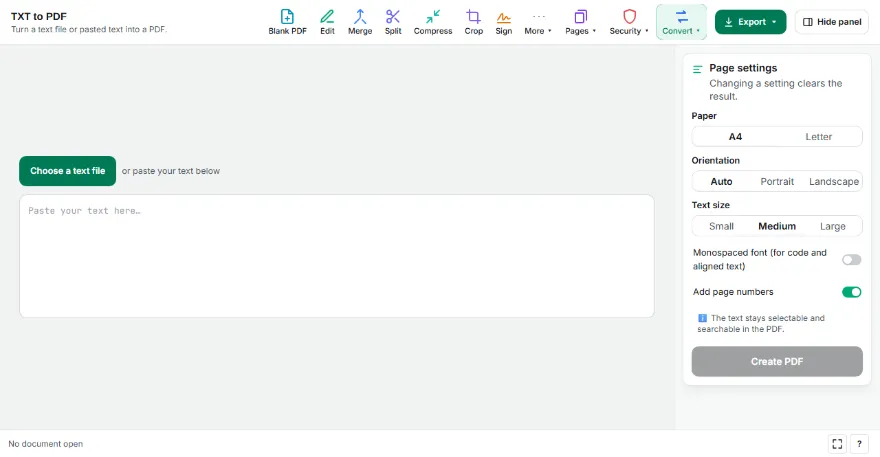
Add your text
Choose a .txt file or paste the text. If accented letters look wrong, change the encoding.
- 2
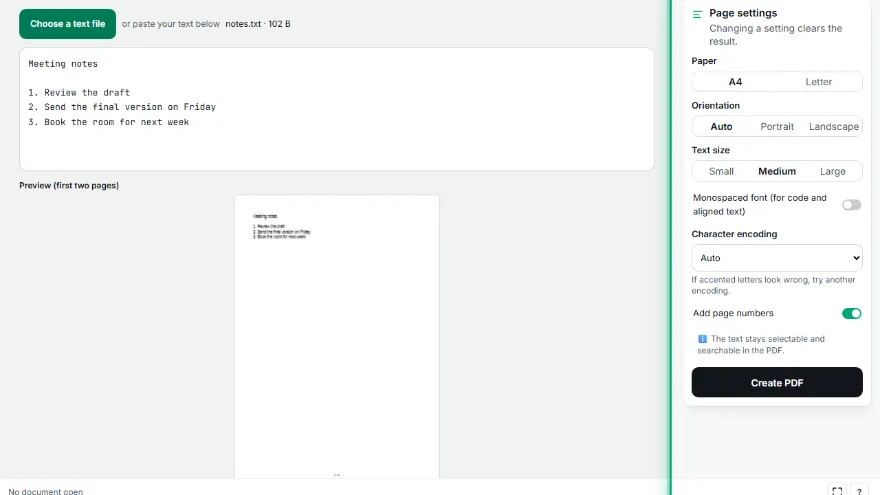
Adjust the layout
Choose paper, orientation, text size and, if you like, a monospaced font. The first two pages are previewed live.
- 3

Download the PDF
Press “Create PDF”; the text is selectable and searchable in the PDF.
Features
- ✓PDF with selectable, searchable text
- ✓Accented characters and older encodings
- ✓Monospaced font option
- ✓Indents and blank lines are kept
- ✓Page numbers; the file never leaves your device
Frequently Asked Questions
Accented letters look wrong — what can I do?
Files saved by older programs may use a legacy encoding. The tool usually detects it; if not, pick one from the encoding list.
Is the text selectable in the PDF?
Yes. Text isn't turned into an image; you can search and copy it.
What happens to long lines?
They wrap to the page width; indents are kept.
Is my file uploaded?
No. The conversion runs in your browser.