How to make WhatsApp stickers (illustrated guide)
In this guide we turn a photo into a static WhatsApp sticker and a video into an animated one, then collect a few stickers into one pack and add it to WhatsApp. Every picture is a real screenshot of the tool. Your files are processed on your device and never uploaded.
WhatsApp's sticker rules
| Size | Exactly 512 × 512 pixels |
|---|---|
| Format | WebP (transparent background supported) |
| File size | Static up to 100 KB, animated up to 500 KB |
| Animation length | A short loop; the tool allows up to 10 seconds |
| Pack | At least 3 and at most 30 stickers; all animated or all static |
| Pack icon | 96 × 96 pixel PNG |
1. Make a sticker from a photo
Portraits, pets and product photos work best. Removing the background is optional.
- 1
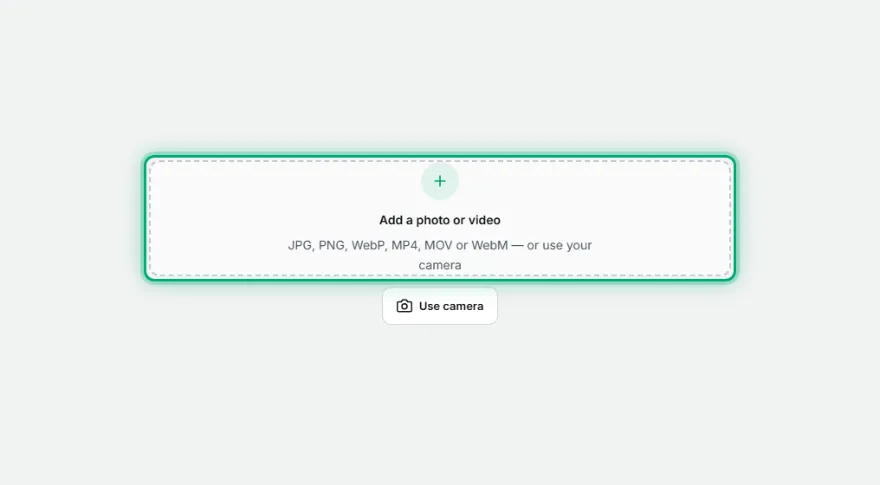
Add your photo
Tap the add area or drag the file in. JPG, PNG and WebP work; you can also use your phone camera.
- 2

Remove the background
In the “Background” box pick “Person” (for people, fast) or “Object” (pets, products). The preview updates right away.
- 3
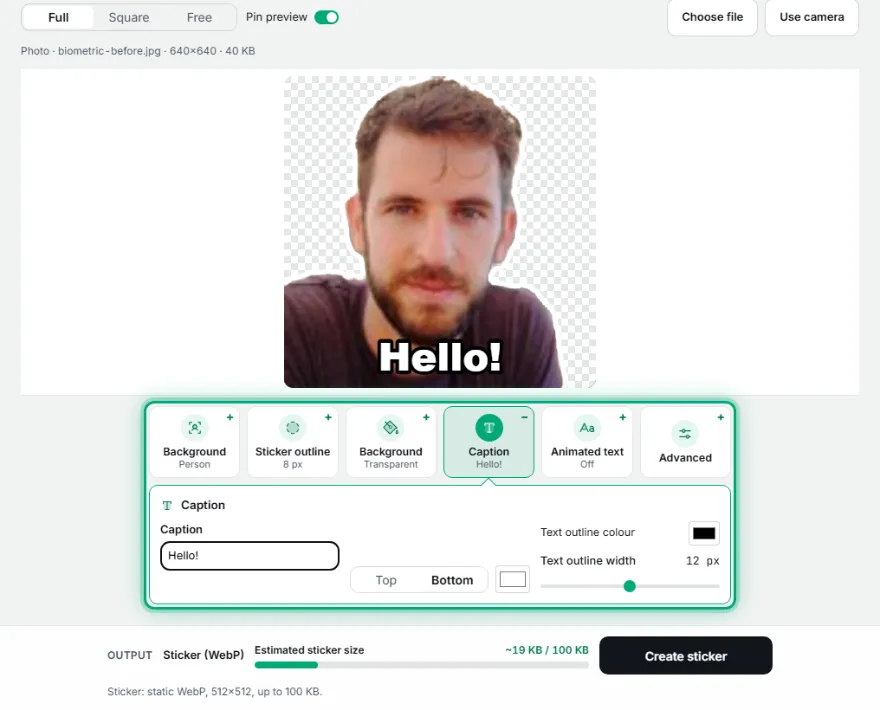
Decorate it
A white outline is the classic WhatsApp sticker look. Add a short caption in the “Caption” box, or animate it with “Animated text”.
- 4
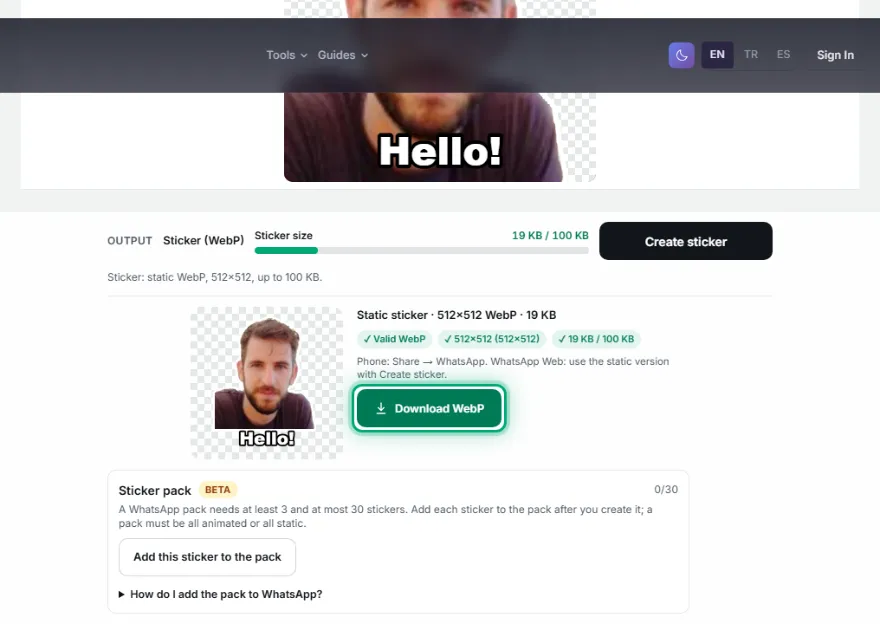
Create and download
Press “Create sticker”. The tool checks that the file is 512 × 512 and under the size limit; green ticks confirm it.
2. Make an animated sticker from a video
A short clip from your phone becomes an animated sticker of a few seconds.
- 1
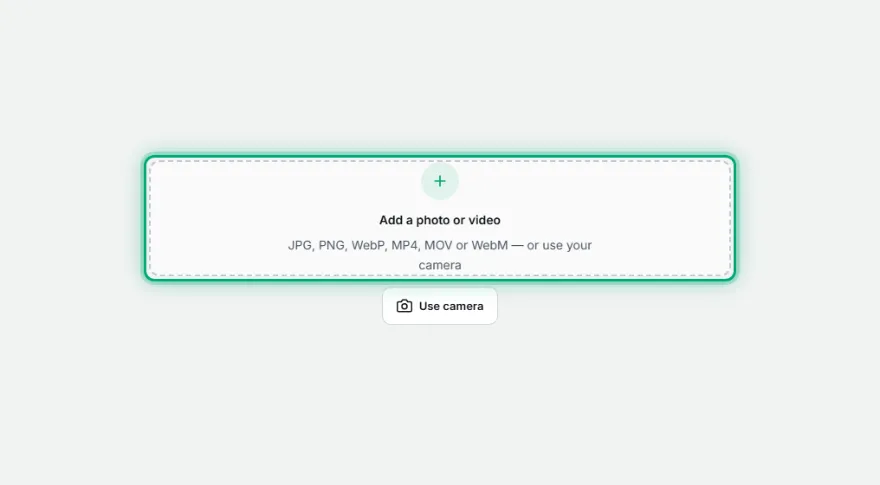
Add the video
Choose an MP4, MOV or WebM. The video stays on your device.
- 2
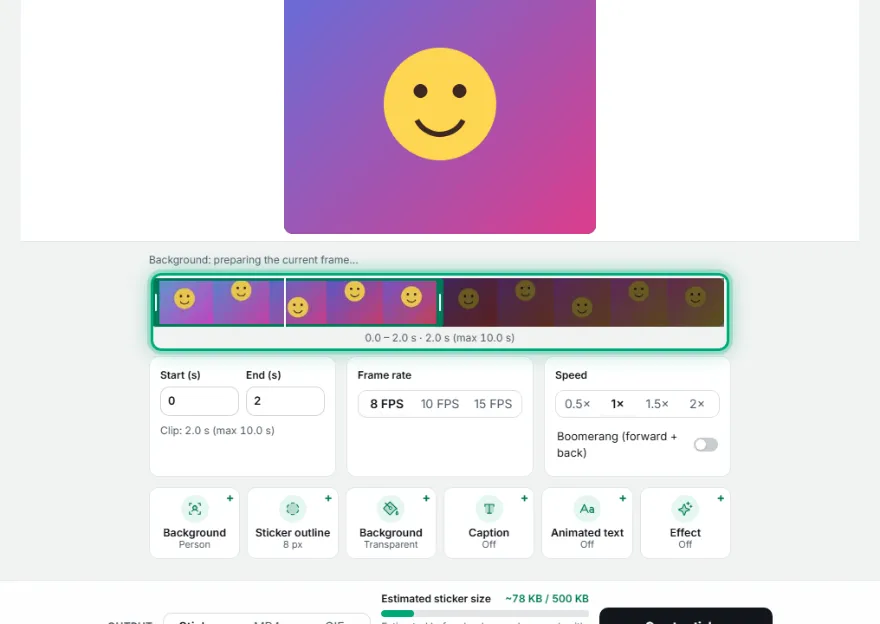
Pick the moment

Set the start and end with the handles on the timeline. Short, repeating movements loop best.
- 3
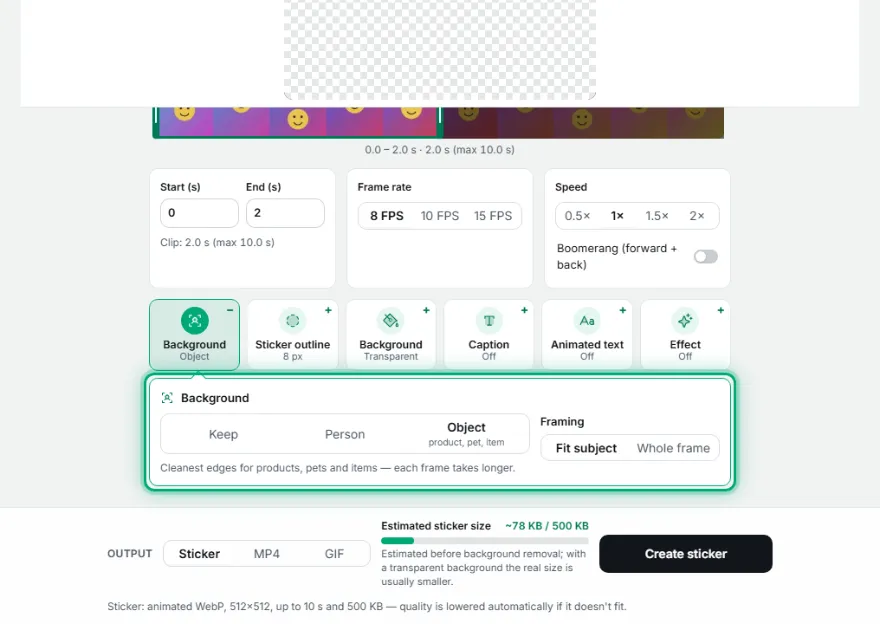
Remove the background
“Person” is fast and made for people; “Object” is better for pets and things but takes longer.
- 4
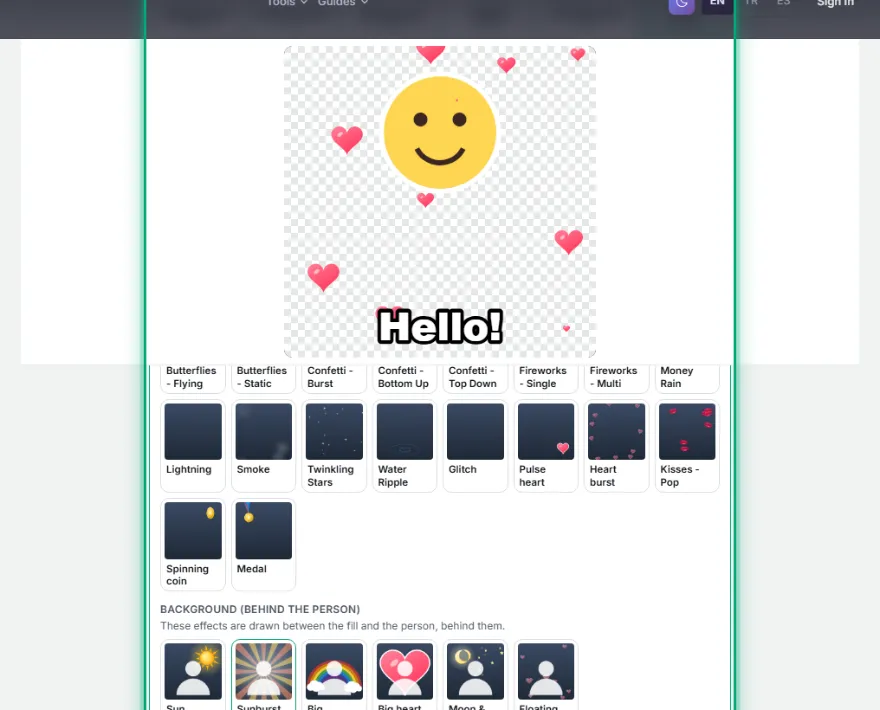
Add text and effects
Captions, hearts, confetti and speed. Background effects (sun, rainbow, big heart) are drawn behind the person.
- 5
Create and download
The tool tunes frame rate and quality automatically to fit the file under 500 KB.
3. Build a 3-sticker (or bigger) pack
Adding stickers to WhatsApp as a pack needs at least 3. After creating each sticker tap “Add this sticker to the pack”, then change the photo or caption and make the next one.
- 1
Add stickers to the pack
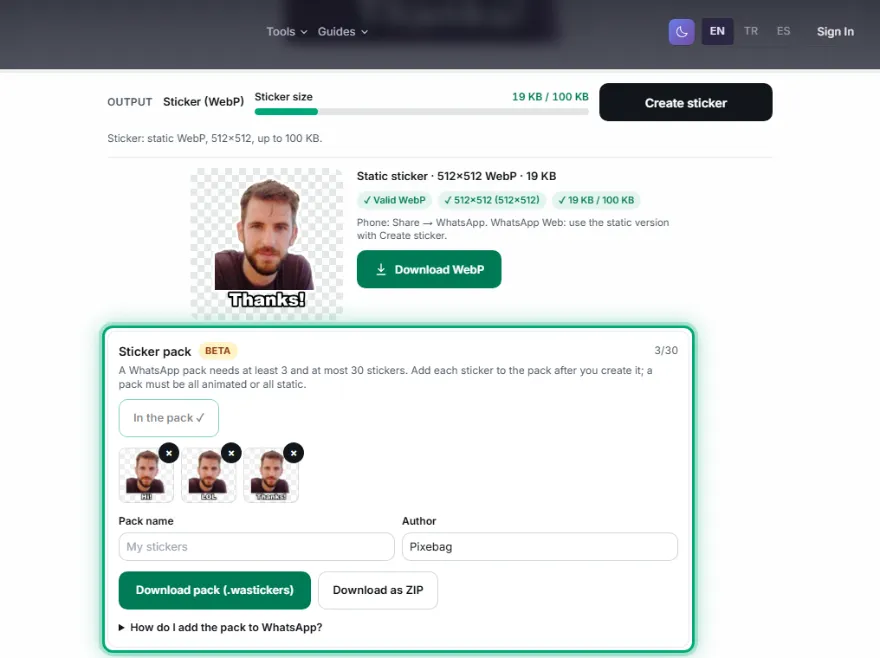
Thumbnails collect in the pack strip; remove one with ×. Animated and static stickers can't share a pack.
- 2
Name and download the pack
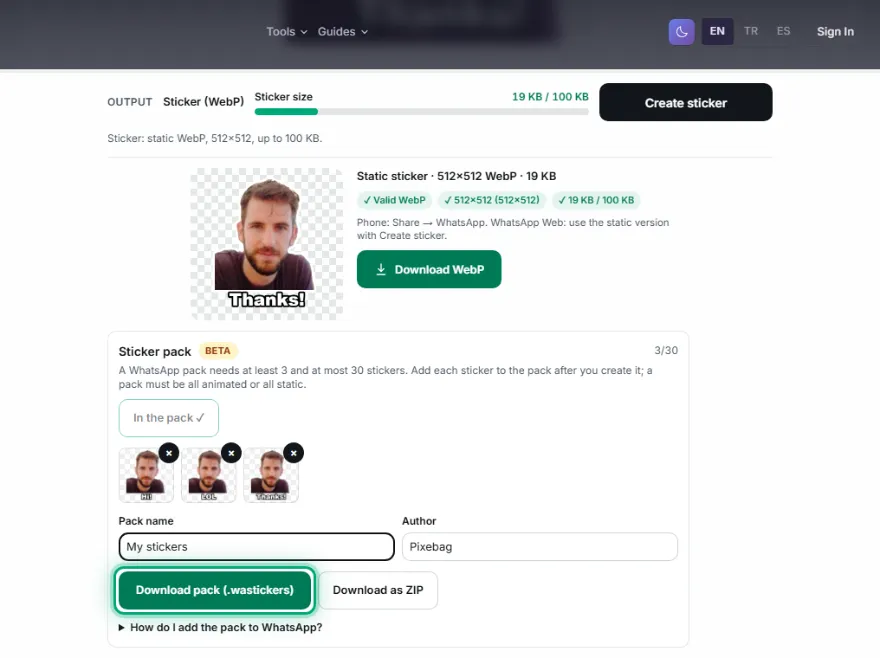
Type a pack name and author, then tap “Download pack (.wastickers)”. The pack icon is made from the first sticker automatically.
4. Add to WhatsApp
WhatsApp only accepts packs through an app on your phone — no website can add a pack directly. Choose one of the two routes below.
- As a pack (the lasting way): download the .wastickers file to your phone. Search Google Play or the App Store for “wastickers” and install a free sticker app that opens this file. Tap the file, open it with that app and choose “Add to WhatsApp”; confirm when WhatsApp asks and the pack appears in your sticker tab.
- Without installing an app (one by one): use “Share sticker” to send the sticker to yourself in WhatsApp (“Message yourself”). Tap the sticker you received and choose “Add to Favorites”; it moves to the starred section.
- On a computer: in WhatsApp Web or the desktop app, upload it as a sticker from the attach (+) menu and send it, then add it to favorites on your phone.
Frequently asked questions
Why does my sticker show up as a photo in the chat?
If the file isn't a 512 × 512 WebP, WhatsApp sends it like a photo. The file you download from the tool has the right size; don't re-save it in another app, and send it directly rather than as a “document”.
My animated sticker doesn't move on iPhone or WhatsApp Web.
Some versions only play animated WebP from inside a pack. Add the pack with a sticker app; for WhatsApp Web the tool also offers a static version.
How many stickers can a pack have?
WhatsApp's rule is at least 3 and at most 30 stickers, and a pack must be all animated or all static.
What if my file is over the limit?
The tool lowers quality and frame count automatically to fit 100 KB (static) or 500 KB (animated), and says so clearly if it can't. Shortening the clip or lowering the frame rate also helps.
Are my photos uploaded to a server?
No. Everything, including background removal, happens on your own phone or computer.